Hey hey,
quick question about the Workfile Template Builder and the “Folder filter” field:
I’m setting up an environment asset (Garage) with multiple movable props (Tires, Boxes, etc.) organized like this :
Garage/
  └─ Assets/
      ├─ Tire
      ├─ Box
      └─ WashingMachine
I want to use the Template Builder with “Linked folders” to load all these props dynamically per shot. I noticed there’s a “Folder filter” field in the Placeholder Manager, but I can’t find any documentation on how it works.
Can I create a single template link to Garage/Layout/Assets (the parent folder) and use “Folder filter” with regex like .* or Tire|Box|.* to auto-discover all child assets?
Or do I still need to create individual template links for each asset (Tire, Box, etc.)?
Has anyone successfully used the “Folder filter” field for this kind of workflow in Maya? Would love to hear how you set it up!
Thanks!
Hello,
Let me put some information together from my scattered notes.
Template Builder and Linked Assets
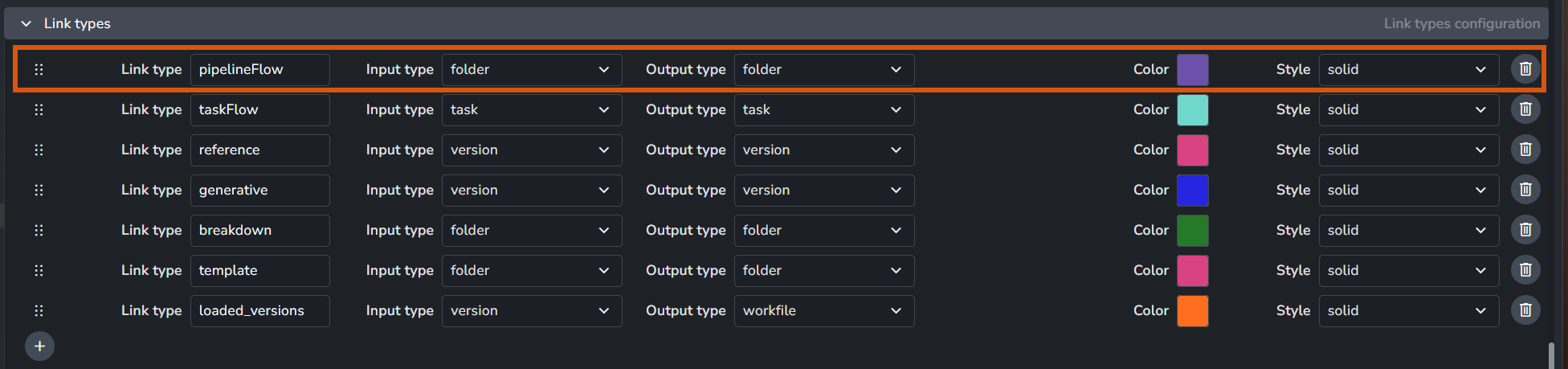
1. Define a dedicated link type
You can use the template link type to be used for this purpose. or create a new one in the project anatomy.
On my side I called it pipelineFlow but you can use anything, just ensure it’s a folder <-> folder type.
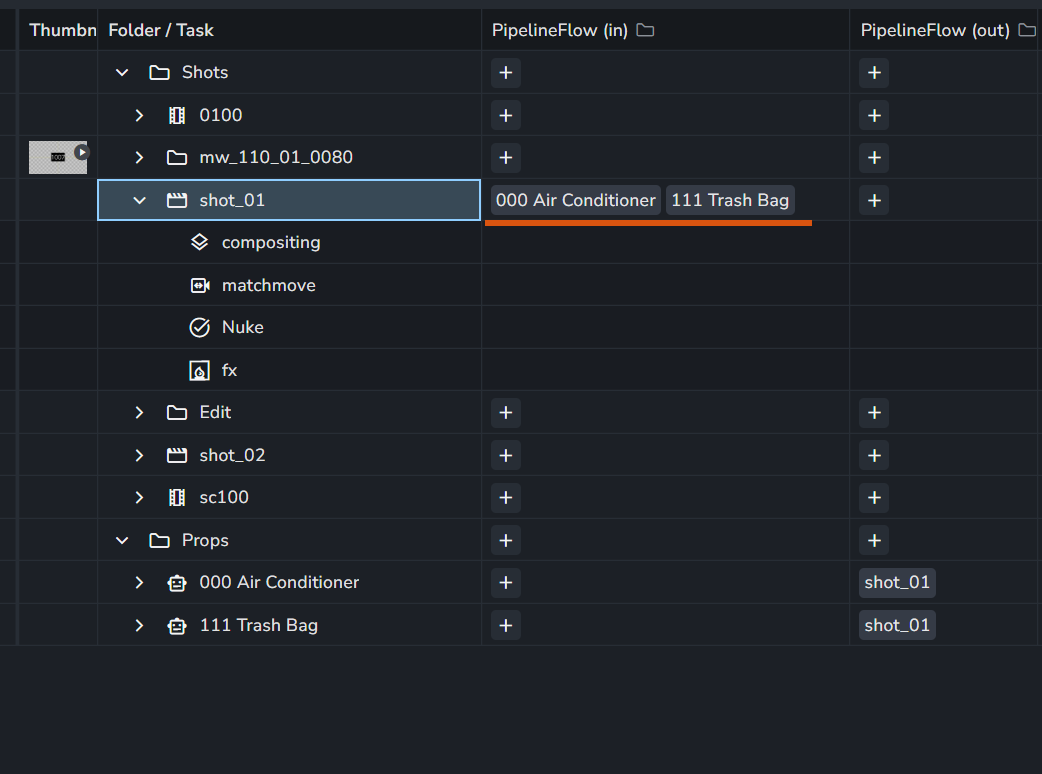
2. Link shots and assets
In the overview, link folders.
In my example below, my assets are used as inputs for the shot.
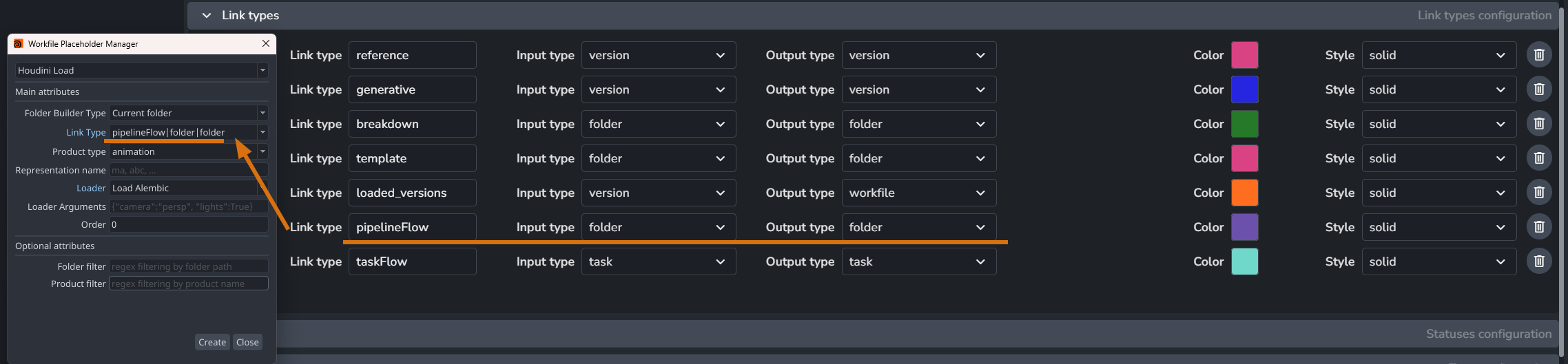
3. Prepare Template and placeholders
On creating your template, add a placeholder and select the same link type you are working with.
Then, you would need to specify the product type, representation name and loader plugin to be used.
Then, you can rely on folder filter or product filter for further control.
And any products that match your criteria will be loaded via this placeholder.
And, you can always make multiple placeholder, each of which to load different type of products.