I’ve got a few tools where I generate some files, and want to publish them headless into Ayon.
I’ve seen some older snippets from people but they’re OpenPype based, is there any recent documentation or examples of getting a single file to publish into Ayon?
I’ve given it a go with the ayon python api module, and made a product, version, and representation, but attaching a file seems a bit more work to do.
I’ve also looked at pipe_core and pyblish examples but can’t quite get those to work. I was trying to run some tests in the ayon tray admin console but without a host it’s not going to work so I think I have to make it as an addon with a host to get working fully there?
I assume you may have expected writing some code to register your data directly to AYON. Actually such lives in the integrate plugin. However, it’d need converting this plugin into a library to have a Publish API.
Currently, we should stick to pyblish workflow, once you are inside a host, you can either use the publisher tool ui or from code to create instances, then publish them.
Thanks @mustafa_jafar for the pointers. I have come across a lot of these already, and yes pyblish would be the best way, but I guess I’m a bit stuck on how to correctly attach a file to the instance, though I see some code for that here but can’t tell if it’s up to date with latest changes as the thread still talks about OpenPype libraries:
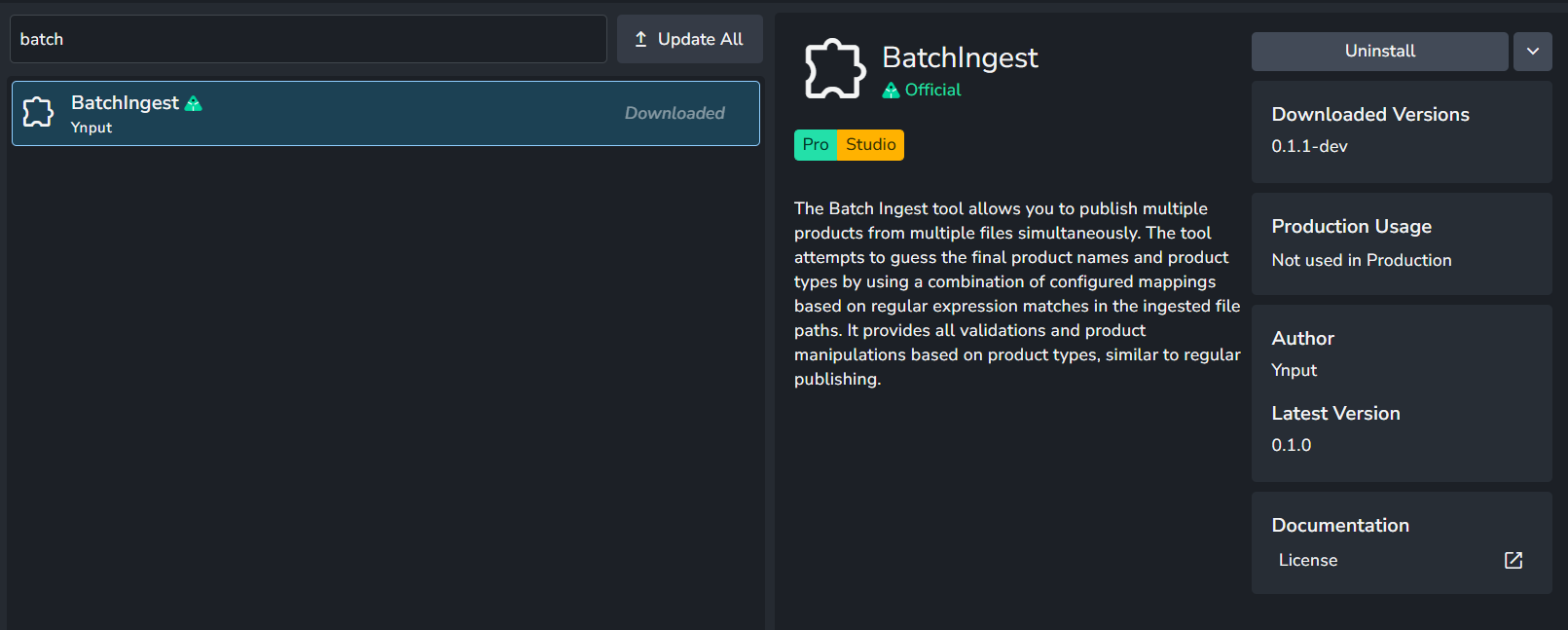
And I have looked at the batch ingestion tool but as Fabia said it was built our their studios naming conventions, we have some specific needs for name tag/attributes in our product types for most publishes, plate ids, lods, layer ids, etc for plate, models, renders respectively in those examples, and so we’d like to add attributes at the studio level to products and then populate them in these sorts of batch ingest tools. (I’d also like to extend the publishing UIs at a later point to be able to do the same with additional dropdowns outside of Variant, but that’s for another time.)
I think as well I’m not sure on the best way to test this properly, given it needs a host, I was running snippets in the tray admin console but I understand that’s not in a host environment, so perhaps I have code that’s working and it just needs to be made into an addon and tested, I’d hoped there was a pre package method of testing code though. I can see there’s terminals, but I get a windows command prompt, and this is DCC agnostic so didn’t want to run it through a DCC to test.
I think we are going to deviate abit from the topic’s title above and having a broder discussion about how publishing in AYON.
Personally, I think the current publish workflow requires some training till you get use to it as it’s full of details. also, it provides a comprehensive settings which affect how this system work.
The publish process is following pyblish where you:
Create instances using creators.
Run the publish logic which runs the (collect, validate, extract, integrate) plugins sequentially in order.
I think if it’s your first time, imo, I’d recommend to
pick your facorite DCC to start inspecting the publish flow
publish anything, check the details tab in the publisher and check the log of each plugin.
have a look on creators and publish plugins scripts in the DCC addon.
Check the pyblish debug stepper tool to get a hint about what happens behined the scenes.
The goal here is to learn more about how this system behaves and then you can start tweaking the publish flow a bit. for reference, you can add more metadata related to your workflow.
Unfortunately, I don’t think we have type hints for the instance object and the minimum data it should contain.
Ok thanks, I’ll play around and try and get used to it some more. I get the general collector, validator, extract, integrate logic, for DCC, but for a pre existing file obviously most of that is skipped which is why i was looking at the tray publisher create plugins there.
Ultimately we’re just creating a context, an instance with the right data, and running that publish. I did get a csv publish working from the tray publisher csv code headless so I got some movement.
Next I think is making my own create plugin to handle what I want, as csv doesnt seem to publish the representations in the csv, and online has a unique name requirement as well that prevents it from versioning up as it checks if the product exists already and stops if it does so seems more for first version publishing only.
I’ll look more into the DCC side as you suggest and try to make my own Create plugin then.
The more you play with it the more it will make sense. Here’s an example studio addon and some Addon Dev Docs to help you get started making your addon.
Also, the core addon has publish cli command which expects a json file of the data. you can get an example json file when publishing render to farm.
Linux & Mac
cd <ayon-launcher-installation-location>
ayon <command> [OPTIONS]
Windows
cd <ayon-launcher-installation-location>
./ayon_console.exe <command> [OPTIONS]