Hi there,
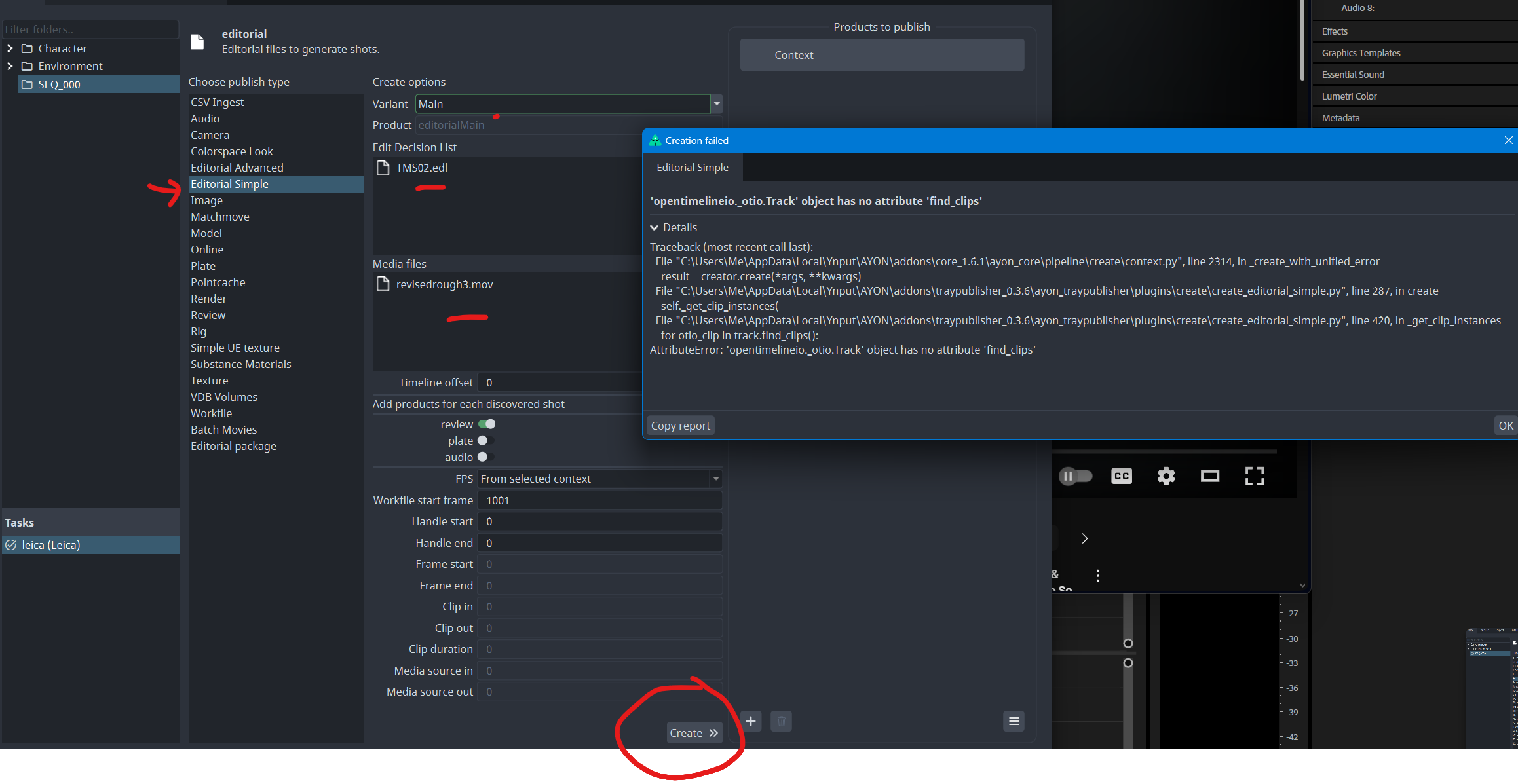
I’m trying to publish in the Tray Publisher, using the Editorial simple option. I keep running into an OTIO error when I’m creating my product.
I tried using an edl file and got an OTIO error. I exported an OTIO file, and got an error saying my OTIO is old.
BigRoy
2
I feel like this is an OTIO version issue where their API must have changed. @antirotor @jakub.jezek do you know?
(Tested in Nuke v16 as it crashes the AYON console)
I’ve just run  and didn’t find
 find_clips
import opentimelineio
print(dir(opentimelineio._otio.Track))
I can’t find the version unfortunately.
import opentimelineio

print(opentimelineio.__version__)
# Result: Traceback (most recent call last):
  File "<string>", line 3, in <module>
AttributeError: module 'opentimelineio' has no attribute '__version__'
BigRoy
4
Maybe the code is accidentally running over a Track where it expected a Composition (or Item which inherits from it) which does have find_clips?
But the code leaves little to guess there, it does expect a track.
Note that find_clips got added in OTIO 0.16.0.
Honestly, I don’t know. but, the code boils down to:
otio_timeline = otio.adapters.read_from_file(sequence_path, **kwargs)

tracks = otio_timeline.video_tracks()

for otio_clip in track.find_clips():
    # something
Sorry for my comment above. it seems I had to update my dependency package.
so, the opentimelineio version 0.16.0 which is used in AYON does have find_clips
import opentimelineio

print(dir(opentimelineio._otio.Track))
BigRoy
7
This makes it very likely that @kahwatikid is in a similar scenario where he needs to update dependency packages?