I am sharing a helpful answer from the Ynput Community on Discord.
My Discord question:
I am having trouble creating a project with “Hero” disabled in ayon-docker. I have Ubuntu 22.04.5 running on Windows Subsystem for Linux, and I have Docker Desktop. Running these commands worked to get ayon-docker and server-1 running:
git clone https://github.com/ynput/ayon-docker.git
cd ayon-docker
docker compose up -d --build
…and I can interact with the server in a web browser. However, when I try to create a project for testing, I get this error if I delete the Hero version in the web UI:
ERROR   api.server                 | Request validation error in [POST] /api/projects

    traceback:

      anatomy.templates.hero: Default template must be defined
I can create a project using default settings, however, which includes the Hero version.
I am new to AYON, and the AYON Glossary states that “generation of hero versions can be completely disabled in AYON by an admin through the Project Settings.”
What is the correct way to disable Hero versions in the Project Settings?
I will try again tomorrow…but I’m wondering if the documentation means for admins to replace the “hero” strings in the template paths with version variables in order to disable the Hero versions.
The answer, from Ondrej Samohel (ynput):
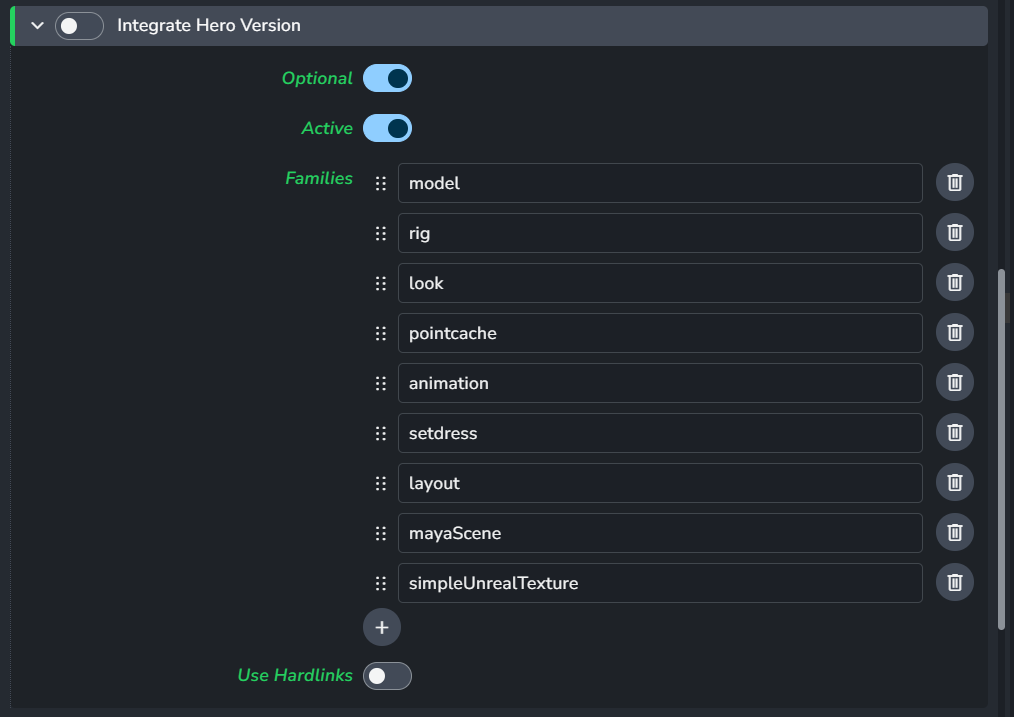
Having hero versions template defined is not the same thing as enabling it or disabling. This is done in ayon-core settings for Integrate Hero Version
I am posting the question and answer here at yinput’s request, in order to help other admins facing the same problem.