Hi everyone
I’m seeing what looks like a UI issue with the SiteSync addon when configuring a Local Drive provider.
Environment
AYON Server: 1.15.11 (running on Ubuntu)
Reproduced from clients on:
Windows
Rocky Linux 9
macOS
Issue
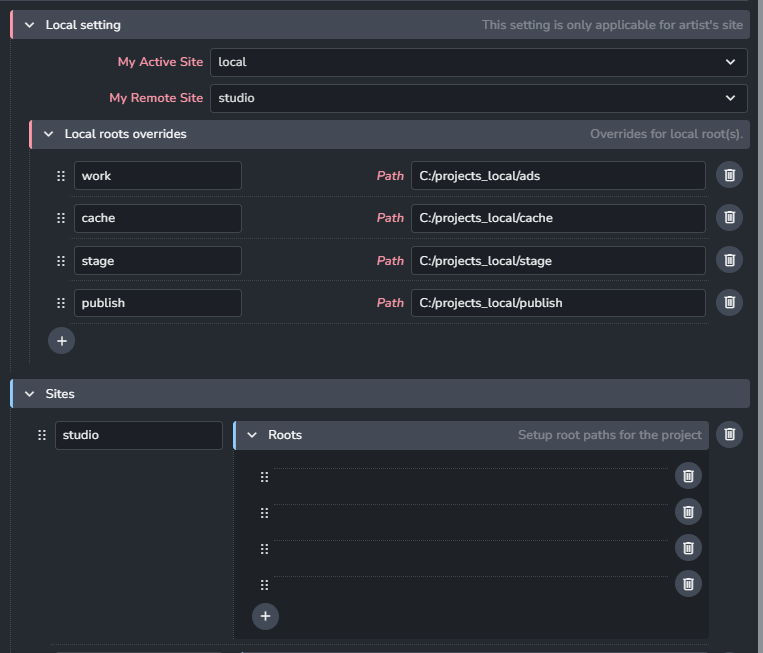
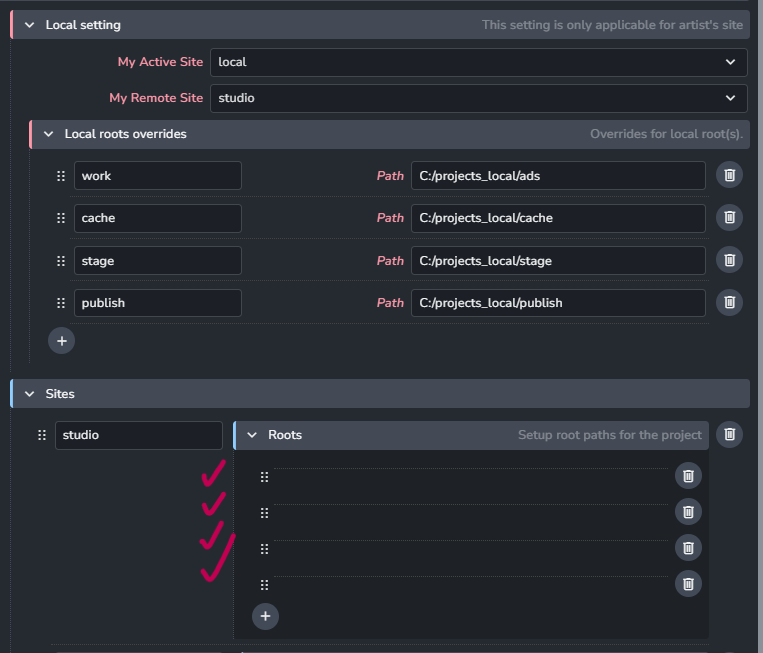
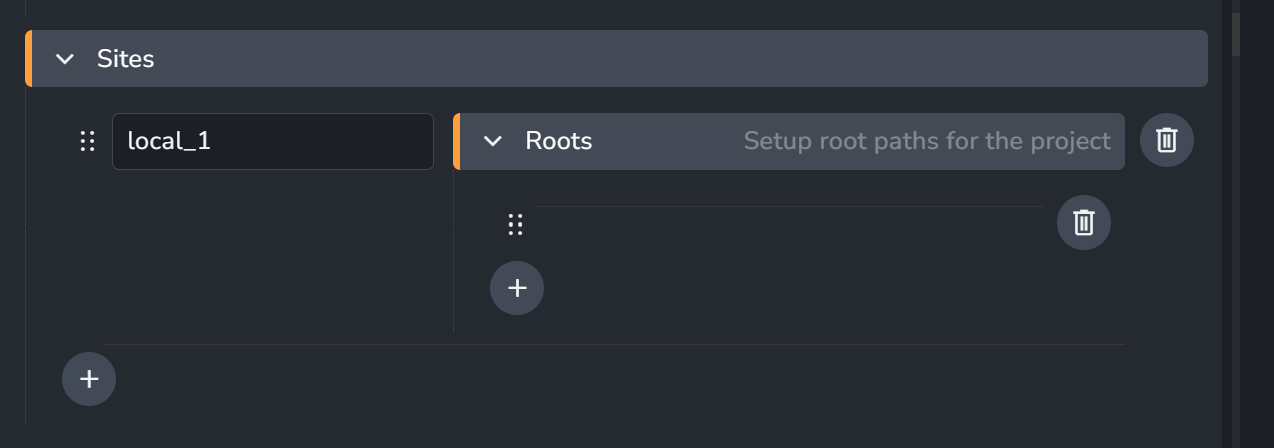
When I create a new site (for example, studio) and select Local Drive as the provider, the Roots section only shows blank draggable rows.
The expected anatomy root labels (such as work, cache, stage, publish) and their Path input fields never appear, making it impossible to configure the paths through the UI.
Any thoughts on this issue
What is the version of sitesync addon on your side?
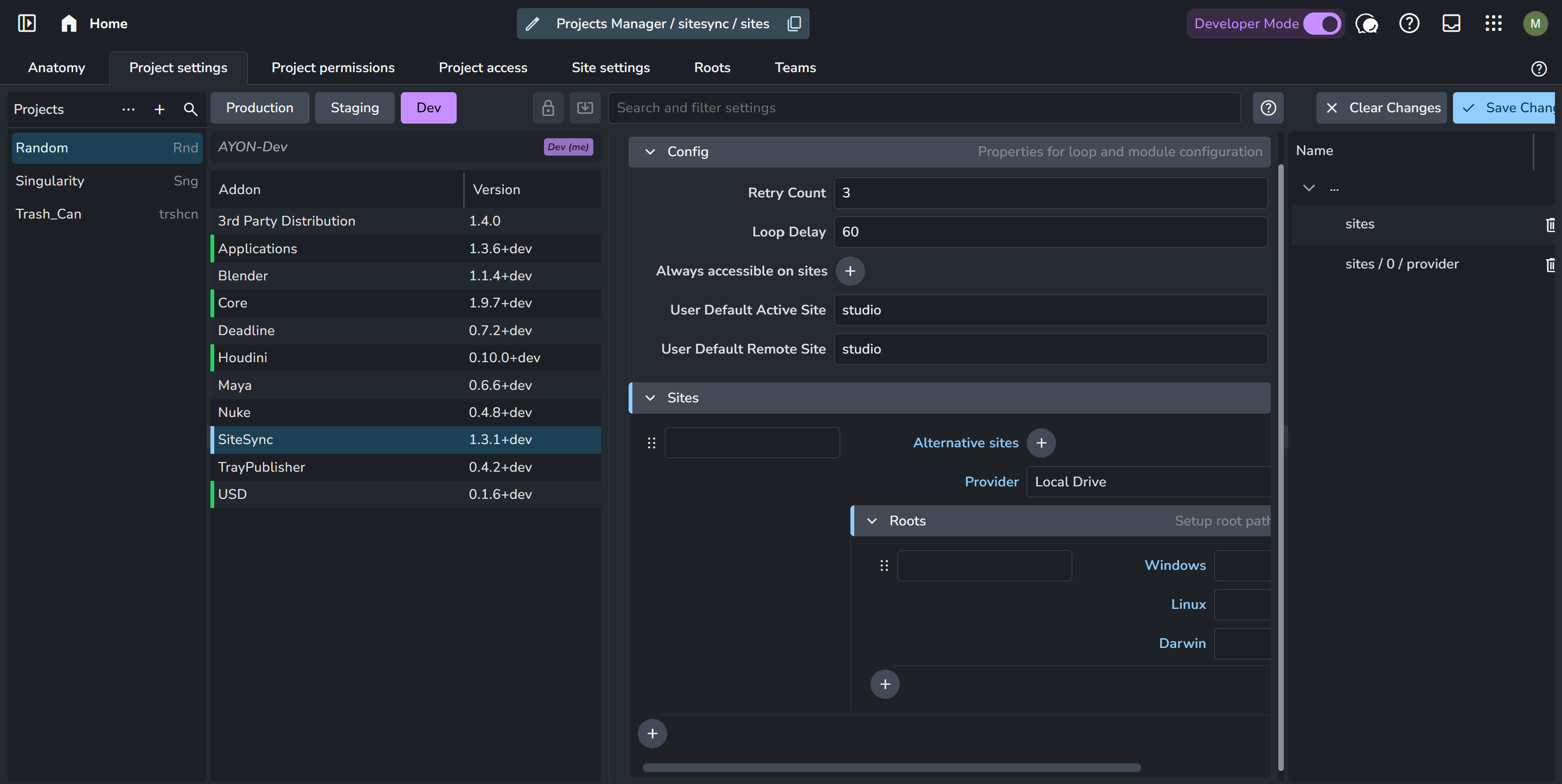
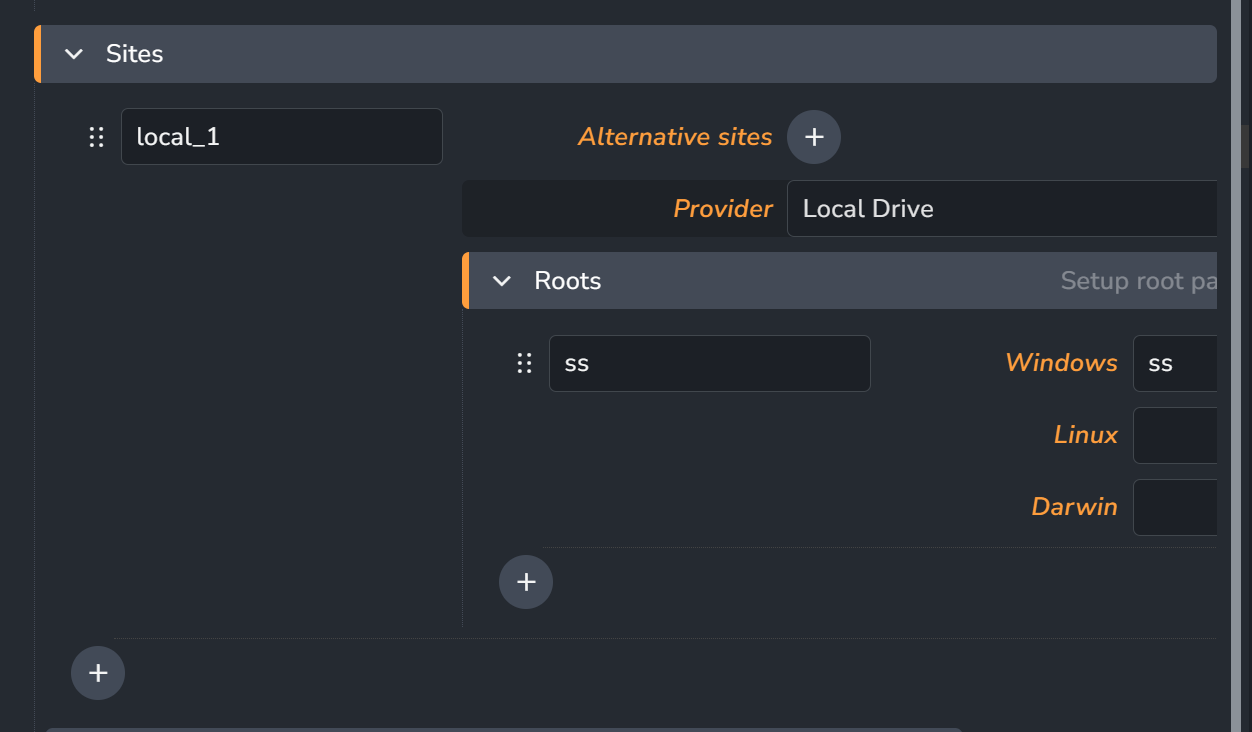
“Roots” are found in studio/project settings. while your screenshot shows it’s in project site settings.
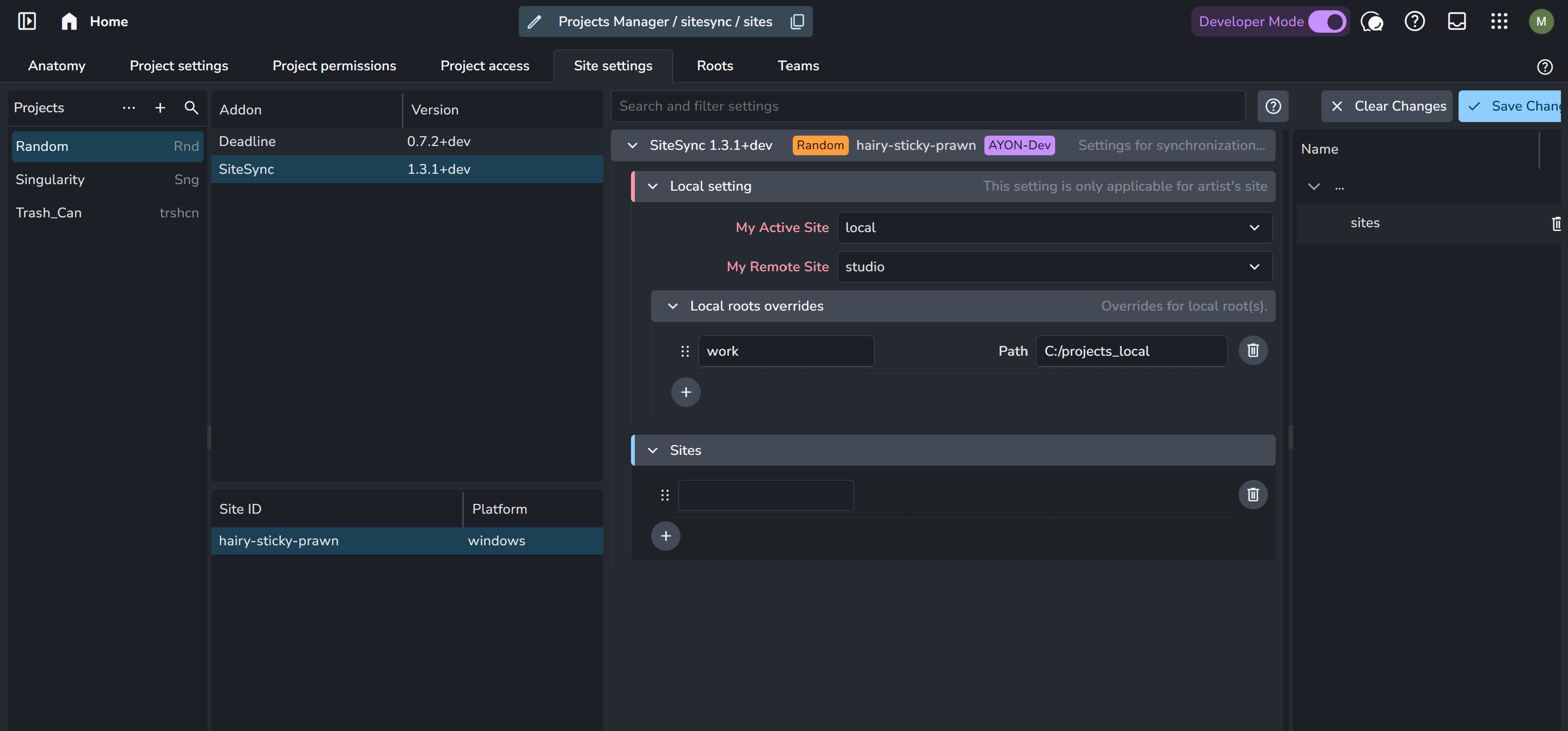
Here’s how it looks like on my side. I’m on latest v1.3.1
Thanks for the reply @mustafa_jafar current im using site sync addon with 1.3.1 version , im trying to add Sites configuration in project site settings , When im trying to add the option here it is showing blank i tried to copy paste “Sites” from project settings to site settings using json data after upload still it showing blank
I was able to reproduce the issue.
once I added a local drive in project settings: ayon+settings://sitesync/sites?project=Random
I found the empty roots list in site settings: ayon+settings://sitesync/sites?project=Random&site=hairy-sticky-prawn
Tagging @Petr_Kalis for visibility.
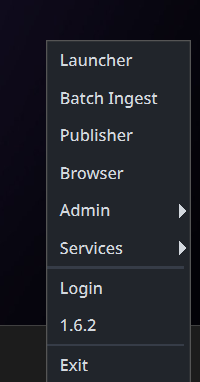
Im using launcher 1.6.2 , after searching in the internet is there any option appear like SiteSync in launcher when we enable sitesync addon ?
Facing this “No module” error while launching ayon
Below is the log of ayon console
*** WRN: >>> { TrayAddonsManager }: [ Addon “sitesync” crashed on tray_init. ]
No module named ‘pkg_resources’
Traceback (most recent call last):
File “C:\Users\avril\AppData\Local\Ynput\AYON\addons\core_1.9.7+lbs.1\ayon_core\tools\tray\ui\addons_manager.py”, line 126, in tray_init
addon.tray_init()
File “C:\Users\avril\AppData\Local\Ynput\AYON\addons\sitesync_1.3.1\ayon_sitesync\addon.py”, line 1081, in tray_init
self.server_init()
File “C:\Users\avril\AppData\Local\Ynput\AYON\addons\sitesync_1.3.1\ayon_sitesync\addon.py”, line 1089, in server_init
from .sitesync import SiteSyncThread
File “C:\Users\avril\AppData\Local\Ynput\AYON\addons\sitesync_1.3.1\ayon_sitesync\sitesync.py”, line 16, in
from .providers import lib
File “C:\Users\avril\AppData\Local\Ynput\AYON\addons\sitesync_1.3.1\ayon_sitesync\providers\lib.py”, line 2, in
from .dropbox import DropboxHandler
File “C:\Users\avril\AppData\Local\Ynput\AYON\addons\sitesync_1.3.1\ayon_sitesync\providers\dropbox.py”, line 3, in
import dropbox
File “C:\Users\avril\AppData\Local\Ynput\AYON\dependency_packages\ayon_2607071441_windows.zip\runtime\dropbox_init_.py”, line 3, in
from dropbox.dropbox_client import ( # noqa: F401 # pylint: disable=unused-import
File “C:\Users\avril\AppData\Local\Ynput\AYON\dependency_packages\ayon_2607071441_windows.zip\runtime\dropbox\dropbox_client.py”, line 43, in
from dropbox.session import (
File “C:\Users\avril\AppData\Local\Ynput\AYON\dependency_packages\ayon_2607071441_windows.zip\runtime\dropbox\session.py”, line 1, in
import pkg_resources
ModuleNotFoundError: No module named ‘pkg_resources’