Hello,
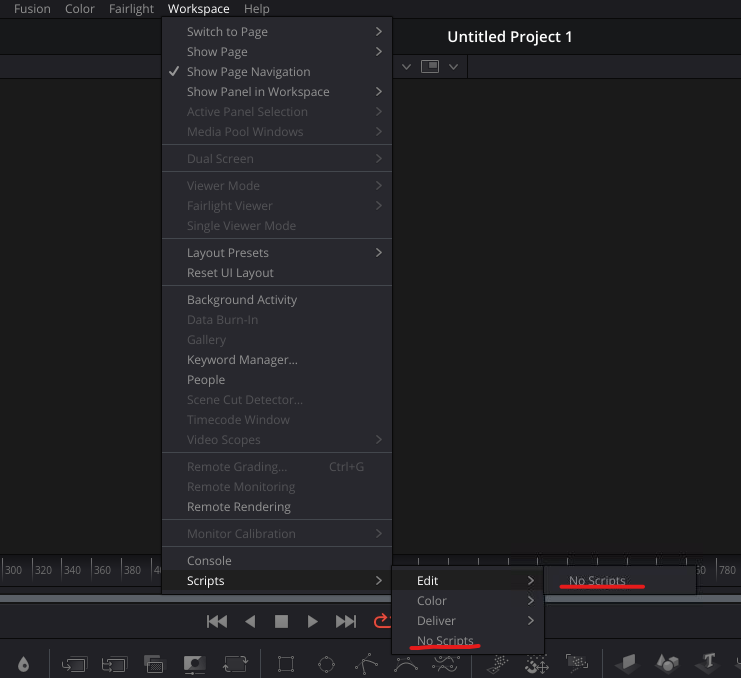
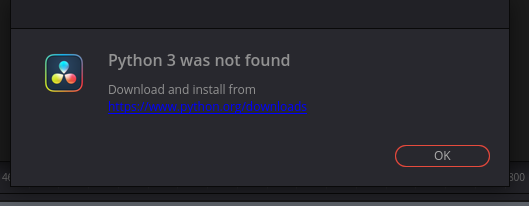
We’ve been trying to get Resolve Studio 20 to work with AYON and while we did install the PySide2 and OpenTimelineIO, We get an issue where the Python 3 fails to load in Resolve. We dont have any errors in Terminal or the Console inside. The Workspace Scripts tab also has the Ayon Menu missing.
We are unsure of what is causing this as when Resolve is ran without Ayon it picks up the python install.
Now we are using the default python install for Rocky 9, Python 3.9 located in
/usr/bin location and not the default ayon location of /opt/…
We are running this in AWS but I’ve tried to install it to a local machine with a copy of Rocky 9 aswell and experienced the same issue.