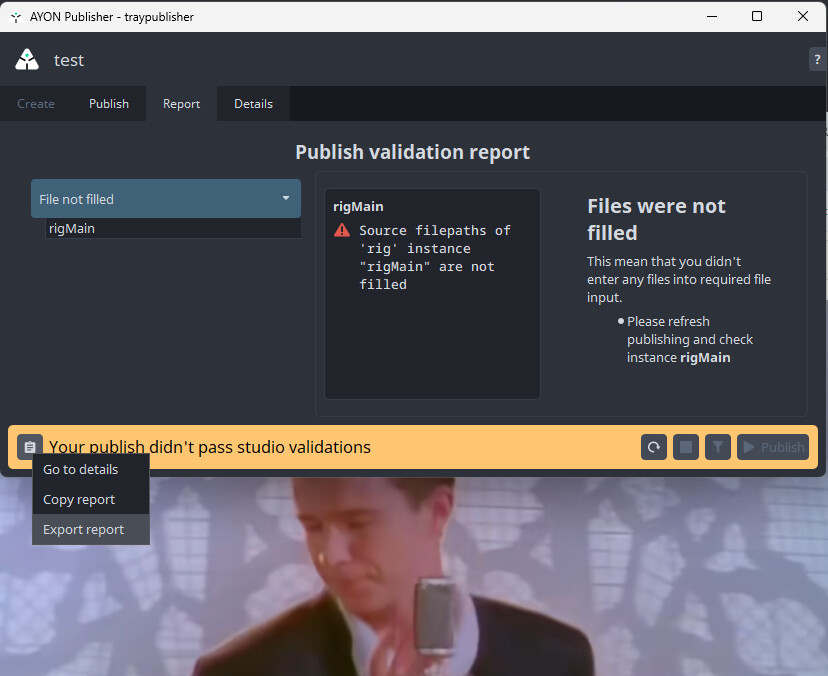
Hi, Below is the error report I am getting
DEBUG: [{'name': 'jpg', 'ext': 'jpg', 'frameStart': 1001, 'frameEnd': 1050, 'fps': 24.0, 'stagingDir': 'C:\\Users\\username.usr\\AppData\\Local\\Temp\\ay_tmp_e_jhb5ef', 'tags': ['review', 'delete'], 'files': 'rig_PRJ_SEQ_0010_paint01_v003.0000.jpg', 'output_name': 'jpg'}]
DEBUG: Processing instance "review"
DEBUG: Host: "photoshop"
Product base type: "review"
Task type: "Paint"
DEBUG: Looking for matching profile for: host_names: "photoshop" | product_base_types: "review" | task_types: "Paint"
DEBUG: "photoshop" not found in "host_names": ['substancepainter']
DEBUG: Profile selected: {'host_names': [], 'outputs': [{'bg_color': [0, 0, 0, 0.0], 'burnins': [], 'ext': 'png', 'ffmpeg_args': {'audio_filters': [], 'input': [], 'output': [], 'video_filters': []}, 'fill_missing_frames': 'closest_existing', 'filter': {'custom_tags': [], 'families': ['render', 'review', 'ftrack'], 'product_names': [], 'single_frame_filter': 'single_frame'}, 'height': 1080, 'letter_box': {'enabled': False, 'fill_color': [0, 0, 0, 1.0], 'line_color': [255, 0, 0, 1.0], 'line_thickness': 0, 'ratio': 0.0}, 'name': 'png', 'overscan_color': [0, 0, 0, 0.0], 'overscan_crop': '', 'scale_pixel_aspect': True, 'tags': ['ftrackreview', 'kitsureview', 'webreview'], 'width': 1920}, {'bg_color': [0, 0, 0, 0.0], 'burnins': [], 'ext': 'mp4', 'ffmpeg_args': {'audio_filters': [], 'input': ['-apply_trc gamma22'], 'output': ['-pix_fmt yuv420p', '-crf 18', '-c:a aac', '-b:a 192k', '-g 1', '-movflags faststart'], 'video_filters': []}, 'fill_missing_frames': 'closest_existing', 'filter': {'custom_tags': [], 'families': ['render', 'review', 'ftrack'], 'product_names': [], 'single_frame_filter': 'multi_frame'}, 'height': 0, 'letter_box': {'enabled': False, 'fill_color': [0, 0, 0, 1.0], 'line_color': [255, 0, 0, 1.0], 'line_thickness': 0, 'ratio': 0.0}, 'name': 'h264', 'overscan_color': [0, 0, 0, 0.0], 'overscan_crop': '', 'scale_pixel_aspect': True, 'tags': ['burnin', 'ftrackreview', 'kitsureview', 'webreview'], 'width': 0}], 'product_base_types': [], 'task_types': []}
DEBUG: Matching profile: "{"host_names": [], "outputs": [{"bg_color": [0, 0, 0, 0.0], "burnins": [], "ext": "png", "ffmpeg_args": {"audio_filters": [], "input": [], "output": [], "video_filters": []}, "fill_missing_frames": "closest_existing", "filter": {"custom_tags": [], "families": ["render", "review", "ftrack"], "product_names": [], "single_frame_filter": "single_frame"}, "height": 1080, "letter_box": {"enabled": false, "fill_color": [0, 0, 0, 1.0], "line_color": [255, 0, 0, 1.0], "line_thickness": 0, "ratio": 0.0}, "name": "png", "overscan_color": [0, 0, 0, 0.0], "overscan_crop": "", "scale_pixel_aspect": true, "tags": ["ftrackreview", "kitsureview", "webreview"], "width": 1920}, {"bg_color": [0, 0, 0, 0.0], "burnins": [], "ext": "mp4", "ffmpeg_args": {"audio_filters": [], "input": ["-apply_trc gamma22"], "output": ["-pix_fmt yuv420p", "-crf 18", "-c:a aac", "-b:a 192k", "-g 1", "-movflags faststart"], "video_filters": []}, "fill_missing_frames": "closest_existing", "filter": {"custom_tags": [], "families": ["render", "review", "ftrack"], "product_names": [], "single_frame_filter": "multi_frame"}, "height": 0, "letter_box": {"enabled": false, "fill_color": [0, 0, 0, 1.0], "line_color": [255, 0, 0, 1.0], "line_thickness": 0, "ratio": 0.0}, "name": "h264", "overscan_color": [0, 0, 0, 0.0], "overscan_crop": "", "scale_pixel_aspect": true, "tags": ["burnin", "ftrackreview", "kitsureview", "webreview"], "width": 0}], "product_base_types": [], "task_types": []}"
DEBUG: __ filtered_outputs: ['png', 'h264']
DEBUG: Linked burnins: `None`
DEBUG: New representation tags: `['review', 'ftrackreview', 'kitsureview', 'webreview']`
DEBUG: New representation ext: `png`
DEBUG: Input path C:\Users\username.usr\AppData\Local\Temp\ay_tmp_e_jhb5ef\rig_PRJ_SEQ_0010_paint01_v003.0000.jpg
DEBUG: Output path C:\Users\username.usr\AppData\Local\Temp\ay_tmp_e_jhb5ef\rig_PRJ_SEQ_0010_paint01_v003.0000_png.png
DEBUG: reformat_in_baking: `False`
DEBUG: Getting information about input "C:\Users\username.usr\AppData\Local\Temp\ay_tmp_e_jhb5ef\rig_PRJ_SEQ_0010_paint01_v003.0000.jpg".
DEBUG: Executing [GET] http://10.20.30.250:4200/api/addons/ayon_third_party/1.4.0/settings?variant=production
DEBUG: Resetting dropped connection: 10.20.30.250
DEBUG: http://10.20.30.250:4200 "GET /api/addons/ayon_third_party/1.4.0/settings?variant=production HTTP/1.1" 200 309
DEBUG: Response <RestApiResponse [200]>
DEBUG: Executing [GET] http://10.20.30.250:4200/api/addons/ayon_third_party/1.4.0/files_info
DEBUG: http://10.20.30.250:4200 "GET /api/addons/ayon_third_party/1.4.0/files_info HTTP/1.1" 200 1135
DEBUG: Response <RestApiResponse [200]>
DEBUG: FFprobe command: C:\Users\username.usr\AppData\Local\Ynput\AYON\addons_resources\ayon_third_party\ffmpeg_windows_3d2b8241\bin\ffprobe.exe -hide_banner -loglevel fatal -show_error -show_format -show_streams -show_programs -show_chapters -show_private_data -print_format json C:\Users\username.usr\AppData\Local\Temp\ay_tmp_e_jhb5ef\rig_PRJ_SEQ_0010_paint01_v003.0000.jpg
DEBUG: FFprobe stdout:
{
    "error": {
        "code": -2,
        "string": "No such file or directory"
    }
}

Traceback (most recent call last):
  File "C:\Users\username.usr\AppData\Local\Ynput\AYON\addons\core_1.8.1\ayon_core\plugins\publish\extract_review.py", line 1523, in rescaling_filters
    streams = get_ffprobe_streams(
  File "C:\Users\username.usr\AppData\Local\Ynput\AYON\addons\core_1.8.1\ayon_core\lib\transcoding.py", line 865, in get_ffprobe_streams
    return get_ffprobe_data(path_to_file, logger)["streams"]
KeyError: 'streams'

During handling of the above exception, another exception occurred:

Traceback (most recent call last):
  File "C:\Users\username.usr\AppData\Local\Ynput\AYON\dependency_packages\ayon_2502101448_windows.zip\dependencies\pyblish\plugin.py", line 528, in __explicit_process
    runner(*args)
  File "C:\Users\username.usr\AppData\Local\Ynput\AYON\addons\core_1.8.1\ayon_core\plugins\publish\extract_review.py", line 191, in process
    self.main_process(instance)
  File "C:\Users\username.usr\AppData\Local\Ynput\AYON\addons\core_1.8.1\ayon_core\plugins\publish\extract_review.py", line 418, in main_process
    self._render_output_definitions(
  File "C:\Users\username.usr\AppData\Local\Ynput\AYON\addons\core_1.8.1\ayon_core\plugins\publish\extract_review.py", line 592, in _render_output_definitions
    ffmpeg_args = self._ffmpeg_arguments(
  File "C:\Users\username.usr\AppData\Local\Ynput\AYON\addons\core_1.8.1\ayon_core\plugins\publish\extract_review.py", line 941, in _ffmpeg_arguments
    res_filters = self.rescaling_filters(temp_data, output_def, new_repre)
  File "C:\Users\username.usr\AppData\Local\Ynput\AYON\addons\core_1.8.1\ayon_core\plugins\publish\extract_review.py", line 1527, in rescaling_filters
    raise AssertionError((
AssertionError: FFprobe couldn't read information about input file: "C:\Users\username.usr\AppData\Local\Temp\ay_tmp_e_jhb5ef\rig_PRJ_SEQ_0010_paint01_v003.0000.jpg". Error message: 'streams'