We’re having an issue here at the studio where the Local Export USD for USD Render Publish doesn’t export the USD file. The process runs completely, but for some reason, the ‘render.usd’ file isn’t saved. We’ve been using the Farm Export USD option and it works fine, but it would be good to be able to export it locally.
Local Rending in Houdini is triggered with these targets, see here
Local machine renderingLocal Export & Farm Rendering
And, this plugin should ensure the proper parameter is set for exporting the usd file.
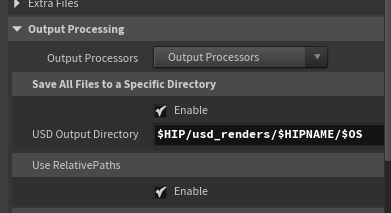
I wonder if the issue on your side related to the default path in save all files to specific directory.
$HOUDINI_TEMP_DIR/usd_renders/$RENDERID
Usually the $RENDERID doesn’t play well. Also, I don’t use the temp dir.
Therefore, I’ve it set to something like
$HIP/usd_renders/$HIPNAME/$OS
Hi Mustafa! Thank you for the answer.
I ran some tests and found a few things:
- I tried to save the render USD on my desktop for monitoring. The USD file appears there, but it is deleted right after the publish is completed.
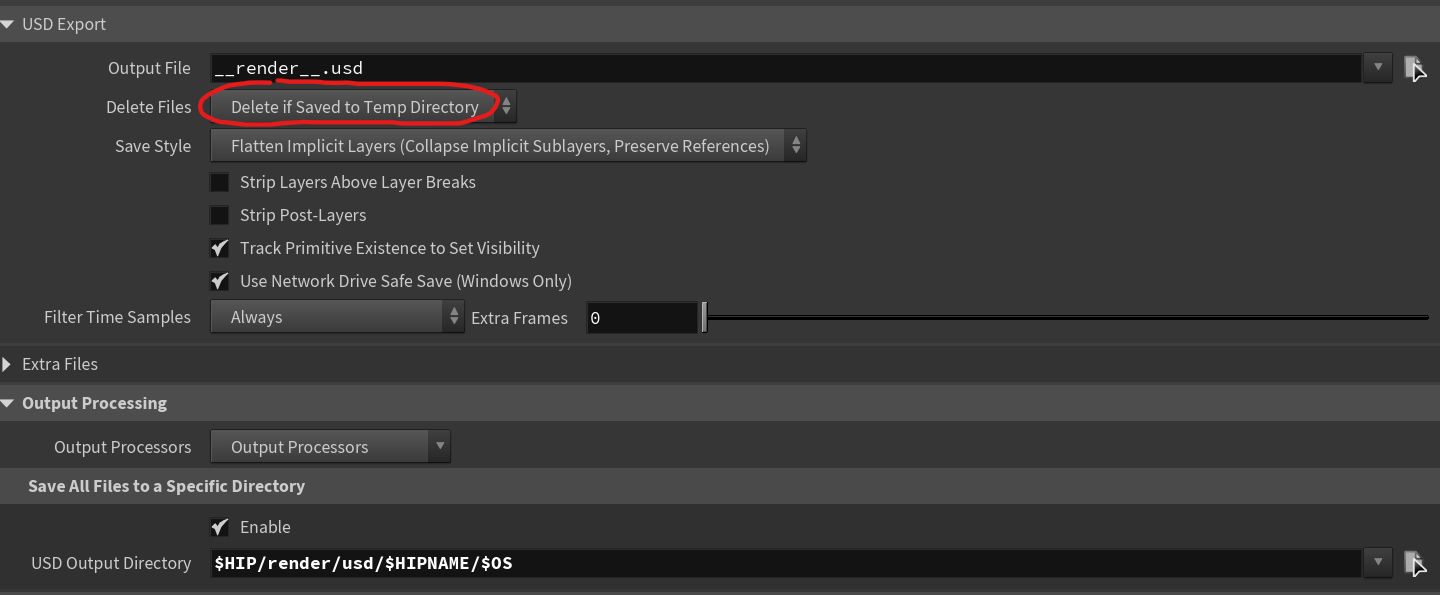
- I tried changing the “Delete Files” option to “Never Delete” in the USD Export parameters, and apparently nothing changes. It saves my other USD files, like camera, etc., but not the
__render__.usdfile. - Apparently, my USD Output Directory is not in a temp folder.
- I noticed a few warnings after publishing about the
product_base_typeargument not been provided toget_publish_template_namefunction. I’m not sure what this is and I’m wondering if this might be related to the problem.
Does the render job runs successfully ?
When setting the render target to local export and farm rendering, you should find the the usd file in the details panel in the publisher.
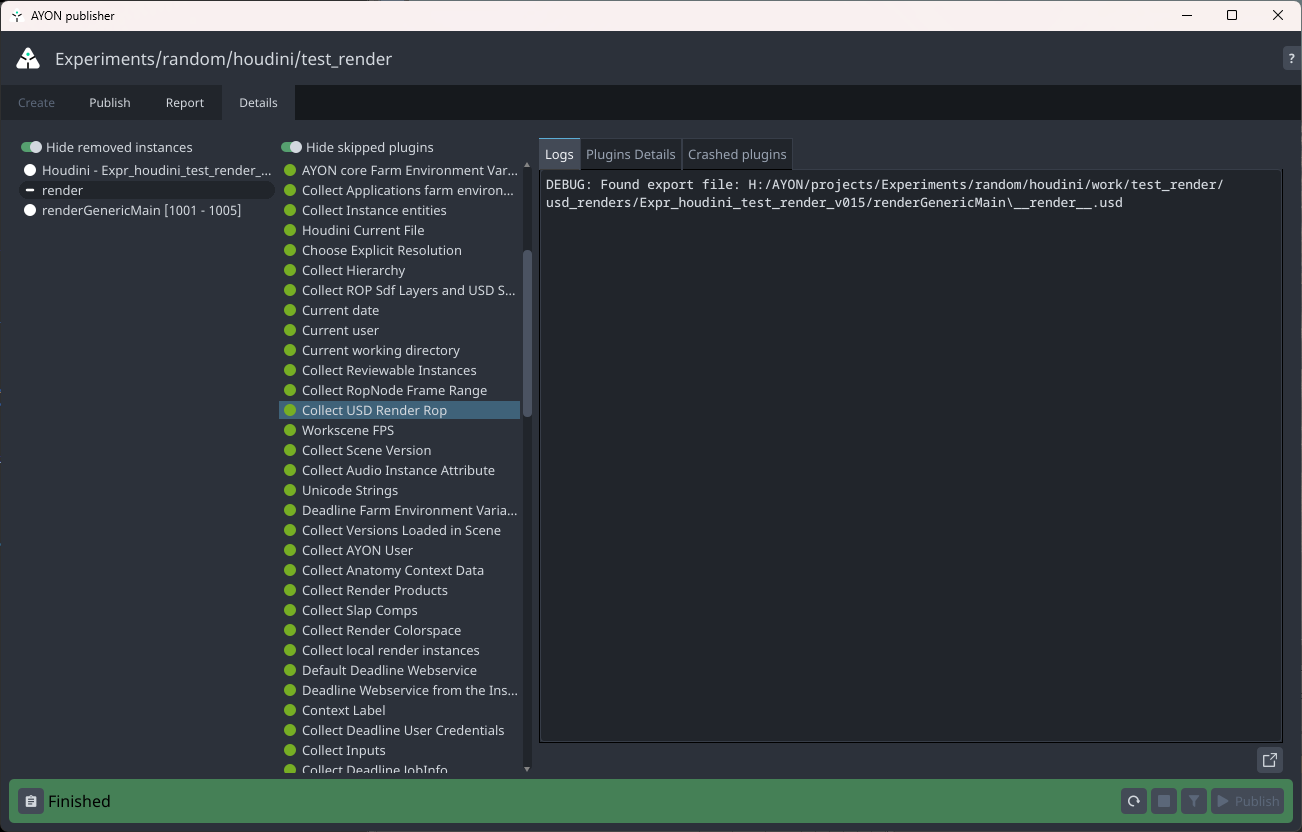
Also, in the DL job log
2026-03-04 09:40:17:  0: STDOUT: [09:40:17] C:/Program Files/Side Effects Software/Houdini 21.0.596/bin/husk.exe version 21.0.596
2026-03-04 09:40:19:  0: STDOUT: [09:40:19] Loading H:/AYON/projects/Experiments/random/houdini/work/test_render/usd_renders/Expr_houdini_test_render_v015/renderGenericMain/__render__.usd
Btw, if I recall correctly we depend solely on using AYON cleaning up plugins for cleaning publish files.
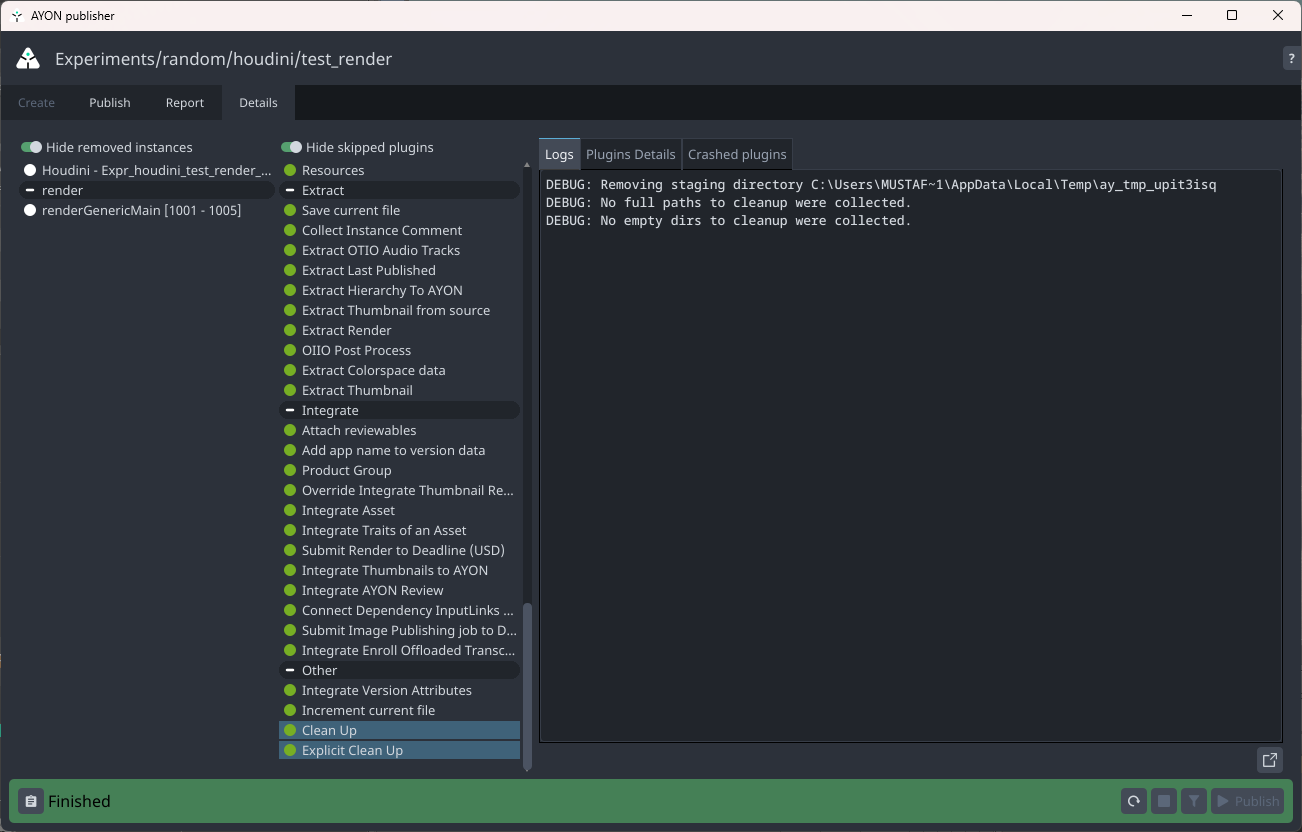
Here’s my ROP node parameters.
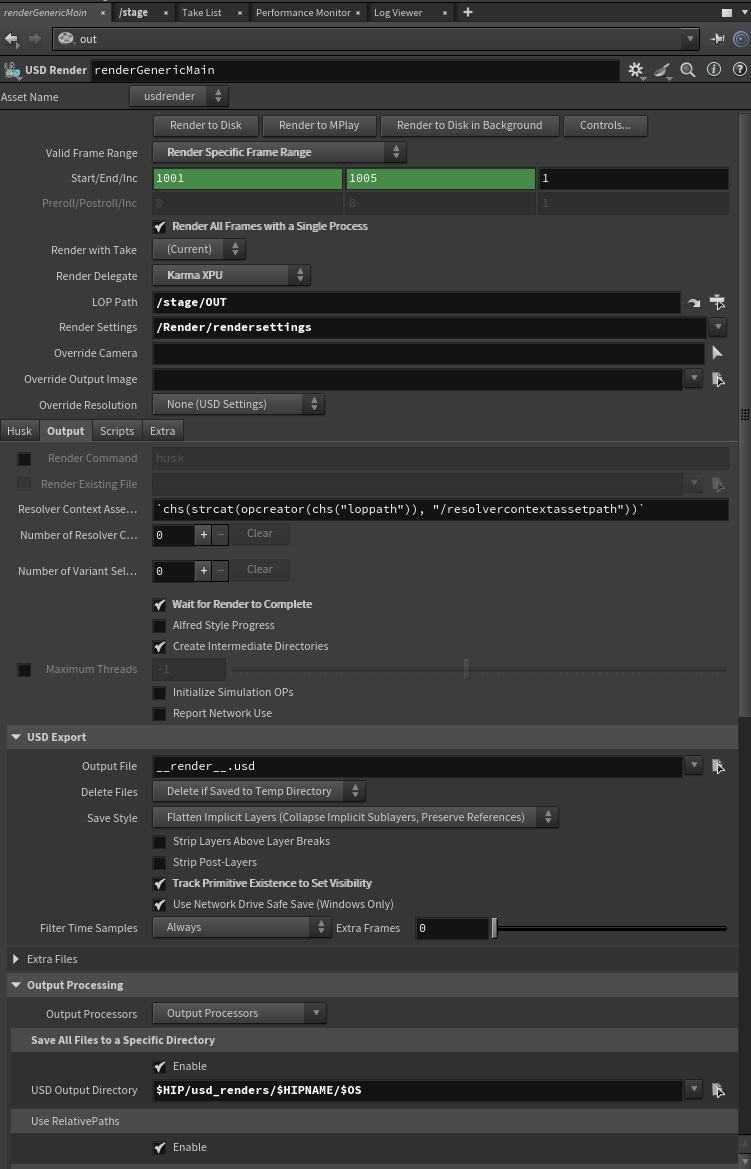
Hi @mustafa_jafar, @marcelo.armoraes and I work together and we were looking for this specific line and I think we found:
Is it something that we need to disable?
I’m also testing a new bundle version that doesn’t have this script anymore. I noticed that on develop branch this script isn’t there anymore.
The fact is, when it save the file, before the render even start, this same integration delete it, so them it fails on farm.
Thanks!
Thank you Mustafa, I think your screenshots helped me find the issue. Apparantly there’s an integrate data plugin removing the __render.usd__ file, after collect it.
And that’s why Deadline never find it.
I was wondering if there’s something to do with the $HIP path, but it happens with $JOB too, and even if I save in my desktop.
Maybe there’s something related to project settings?
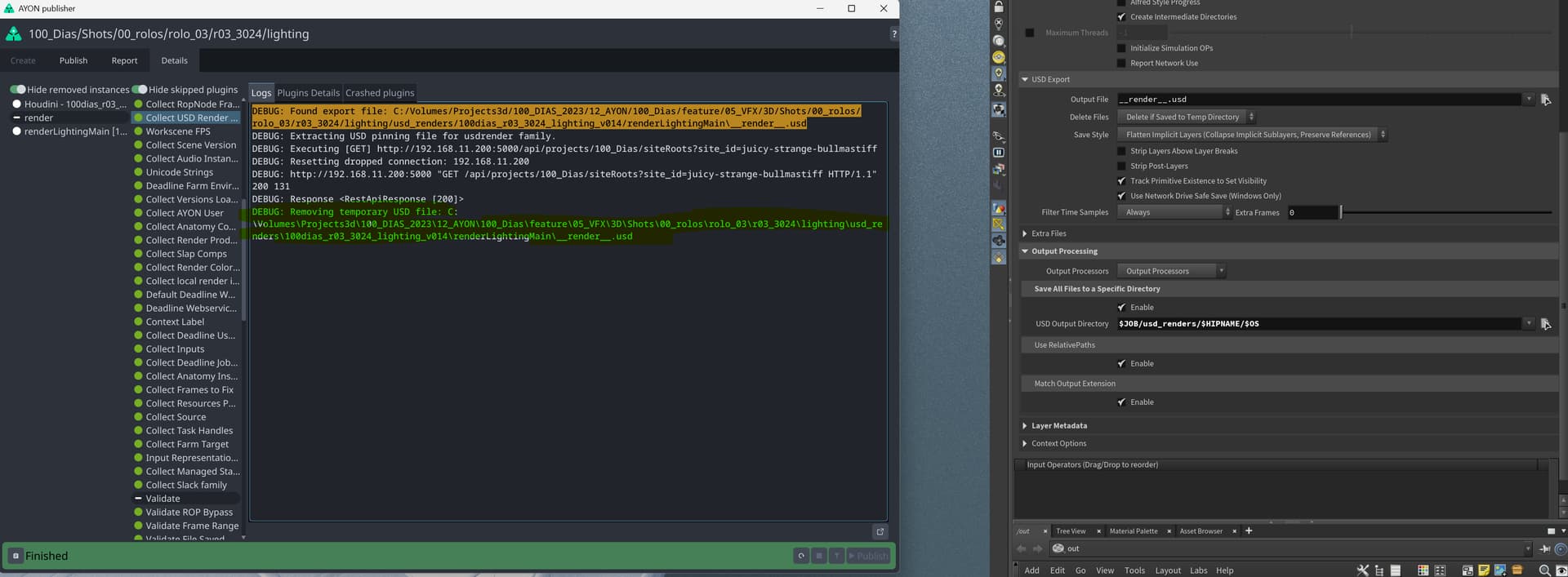
Thank you for pointing that out.
The ayon-usd addon and the resolver got some updates fixing issues, enabling resolver on farm (only for new releases maya2026 and houdini 21) and tweaking how pin file is treated. more info here.
- Clean up usd publish plugins by MustafaJafar · Pull Request #93 · ynput/ayon-usd · GitHub
Among of changes in this one is no longer publishing pin file and moving creating it in an earlier step from the plugin you have shared. - Bugfix/94 pinning mode by tadeas-hejnic · Pull Request #100 · ynput/ayon-usd · GitHub
- Chore: Auto-detect service api key or user token by iLLiCiTiT · Pull Request #38 · ynput/ayon-cpp-api · GitHub
Could you update your usd addon for latest version and give it another try?
Yep, we’re going to do that.
@gabriel.valderramos and I were talking about it internally yesterday when we noticed that the plugin isn’t included in the new bundle, so we decided to update and run new tests.
It’s not essential to have local export usd working, but it helps a lot when we have heavy hip files to run on the workstation, since those are usually the best computers in the studio.
I think that in the future, we are going to be able to implement full usd shots and the render usd files are going to be very clean. But right now, we’re still adapting and have a few scenes with bgeo files via SOP Import that, as far as I know, need to be saved along with the USD render file.
I’ll let you know when we update and test it!
We’ve updated the bundle to 1.5.2 and the Local Export USD option is working now! Thank you for your support =)
2 Likes