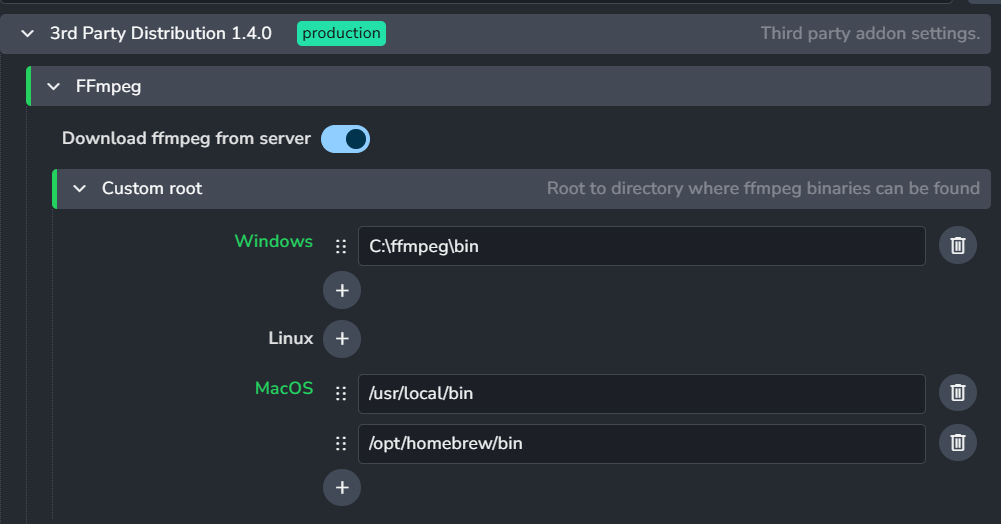
Hi all, we’ve got AYON set up and configured with the 3rd Party Addons plugin to install ffmpeg. This appears to be working for a majority of users, though for some MacOS users it’s then failing to publish on the “Extract Render” step with the error:
I have checked and confirmed that ffmpeg is installed, running ffprobe manually through Terminal also completes without issue. On one machine, I’ve tried troubleshooting steps including:
completely removed AYON, including the contents of Application Support, and reinstalling. This prompted the download and extract dialog for ffmpeg but seems to have made no difference;
installing ffmpeg through Homebrew and adding /opt/homebrew/bin as a path; and
adding ffmpeg and ffprobe to /usr/local/bin and adding that as a path.
None of these appear to have made any difference. Is there something I’m missing here with how ffmpeg/ffprobe works on MacOS?
I’m not sure yet why it can’t find the ffprobe tool but in case you are using a custom one.
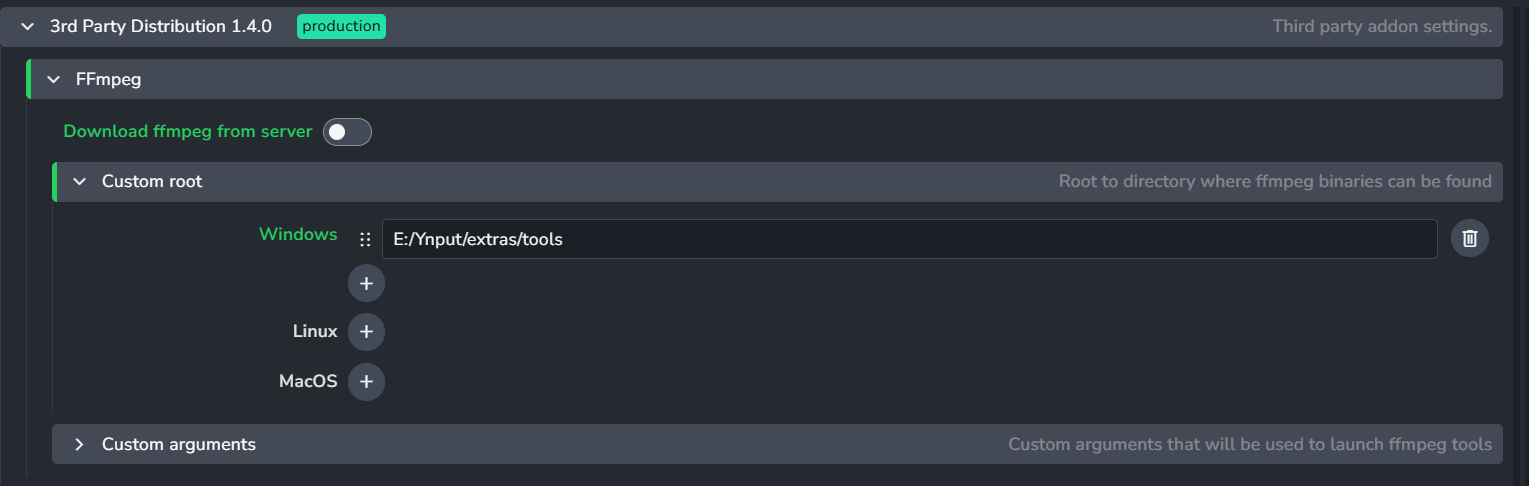
You need to switch off the download from the server to use the custom one.
We’ve now had this with a couple of users, all on MacOS. If we launch AYON via Terminal it runs OK, but if we launch it just through the Applications folder itself it runs into the same issue where it can’t find ffprobe.
One of our other technicians has found that when it’s launched via the App it launches with a default system PATH (/usr/bin:/bin:/usr/sbin:/sbin) and can’t find any other apps, while launching it through Terminal appears to fix the PATH issues. Even so, it then only seems to detect ffmpeg/ffprobe if we install through Homebrew, which we have set the paths for in the 3rd Party Distribution plugin settings.
we currently have “Download ffmpeg from server” enabled, which AYON seems to download successfully, but then isn’t able to find once AYON is running.
we have also configured “Custom root”, which we have pointing to the default Homebrew location (/opt/homebrew/bin) on MacOS as well as the /usr/local/bin. This however does not seem to make a difference.
Currently, the configuration with AYON downloading FFMPEG seems to work for most of our staff. There have only been three cases out of around 40-50 users where it doesn’t work, and this has not affected all MacOS users. We’ve also verified by running print(shutil.which("ffprobe")) in the Console.
However, launching the application through the Terminal (i.e. open /Applications/AYON.app) with the app installed through Homebrew appears to work for those users, and running print(shutil.which("ffprobe")) in the Console now finds the version we’ve installed through Homebrew.
Ok, so the thing is that the settings are not intuitive. If Download ffmpeg from server is enabled the custom roots are ignored. There is comming PR that is changing the settings.
Ah right, so turning off “Download ffmpeg from server” would mean it uses the Homebrew version? Would that continue to use the downloaded version for all other users, or would that cause their ffmpeg to stop working?