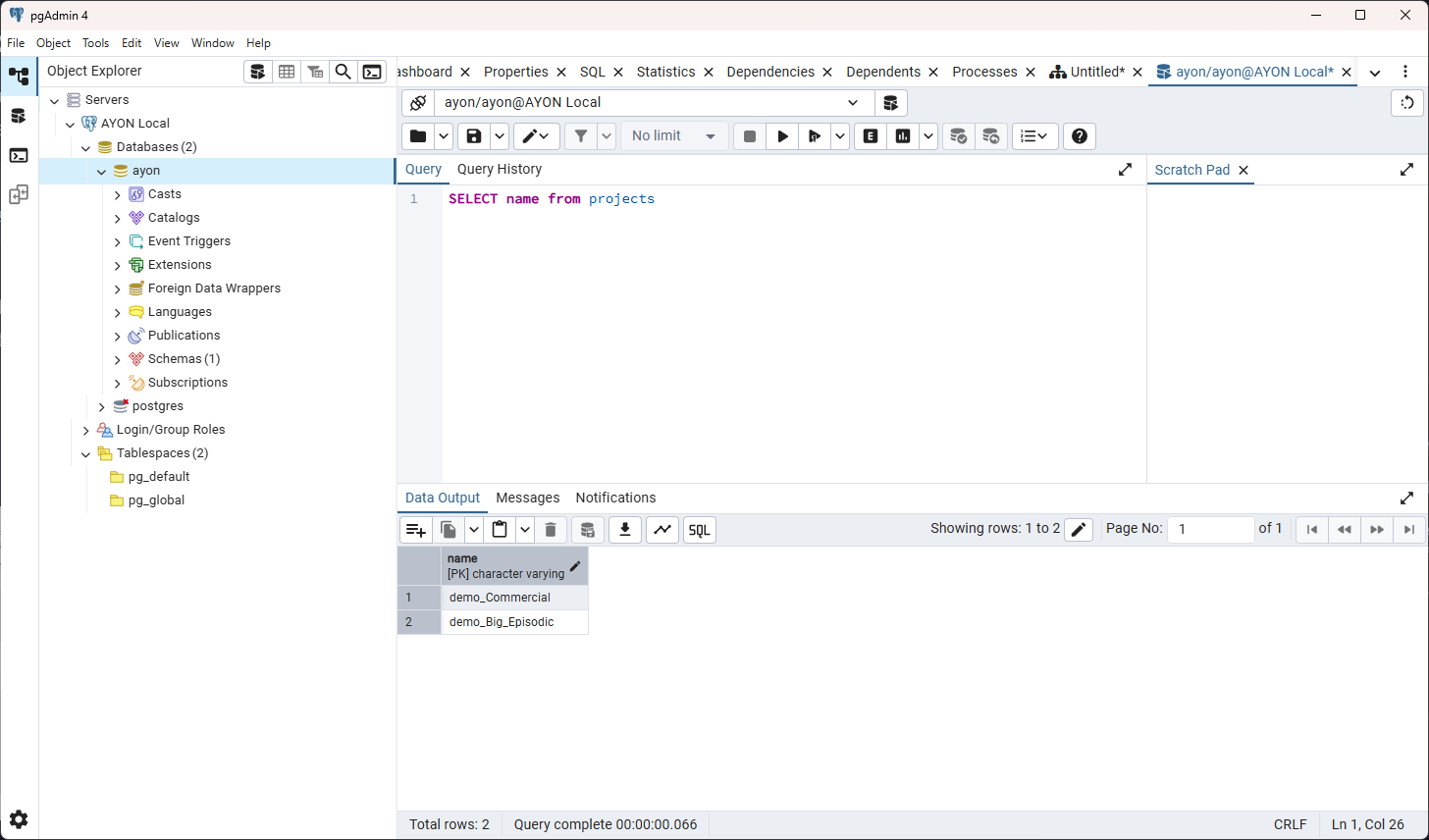
pgAdmin is a graphical user interface (GUI) tool that allows you to access the AYON database directly, as an alternative to using the dbshell in the terminal.
With great power comes great responsibility.
With pgAdmin, you have full control over the AYON database, including the ability to retrieve, add, and remove data. Be careful when making changes, as you could potentially break your production environment if you are not sure what you are doing.
To use pgAdmin, you must expose the PostgreSQL port of the postgres container. Add the following code snippet below this line in the docker-compose.yml file:
ports:
      - 5432:5432
Then, rebuild your Docker containers using the docker compose up -d command. After this, you will be able to set up the pgAdmin connection.
First, register a server.
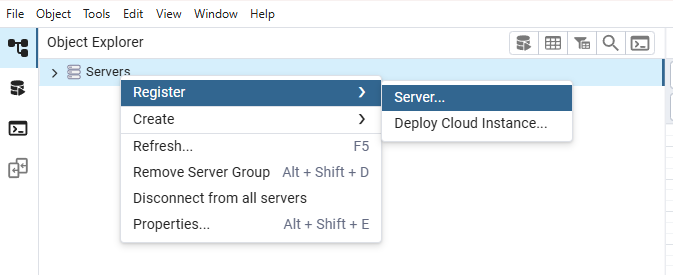
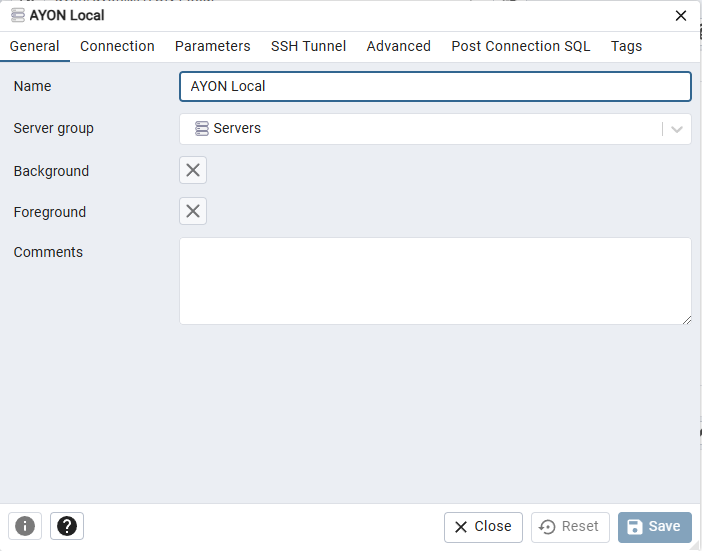
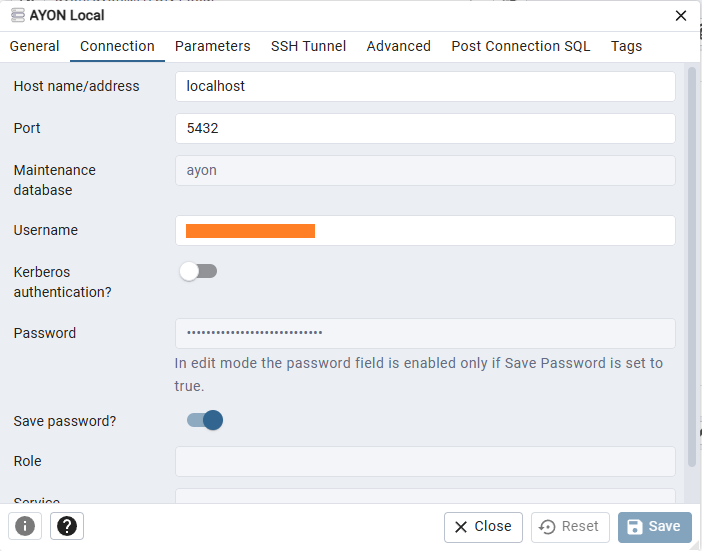
| Give your connection a name. | Set your connection details: Host, Port, Username, and Password same as in compose file. |
Once your connection is set up, you will be able to access the AYON database directly. From there, you can explore the available tables and practice PostgreSQL queries.
SELECT name FROM projects