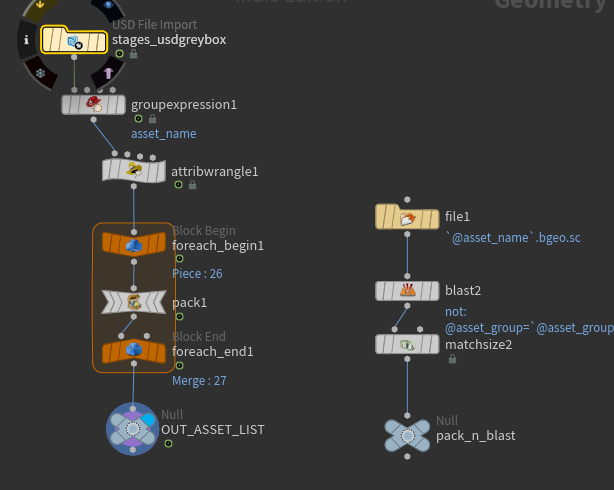
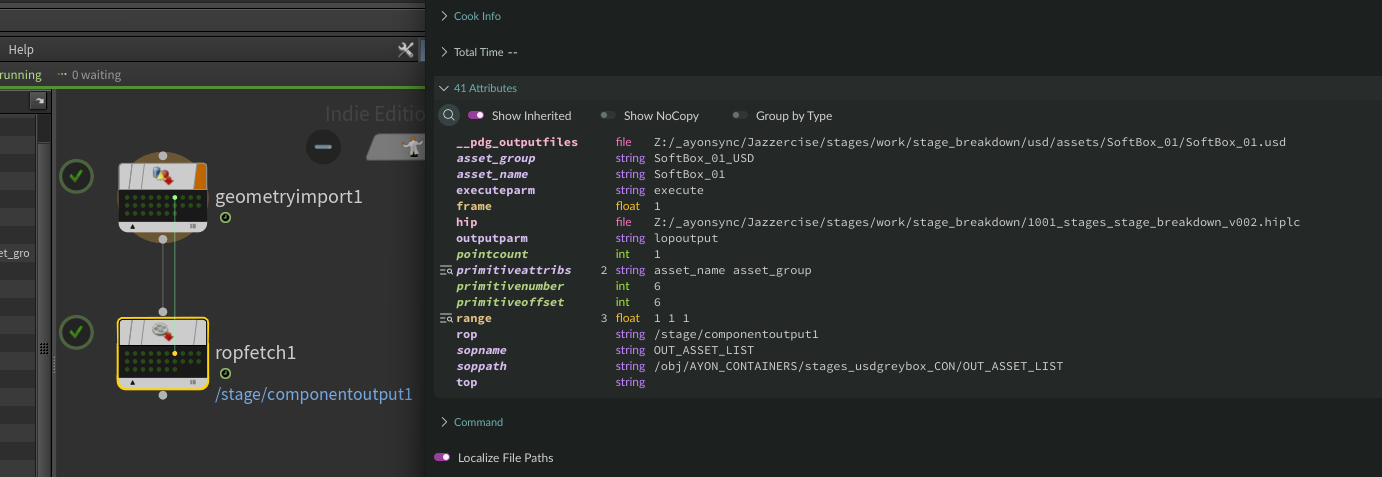
I’m looking for guidance on the correct way to create asset entries in AYON directly from a TOPs work item list. This is based loosely on the colorbleed workflow that I have seen presented at FMX in 2025.
This is what I have currently working
- Assets originate in Maya
- Exported as a single USD and published to AYON
- In Houdini:
- USD is imported and unpacked
- Assets are filtered by naming convention (
_USD)
- Each asset is isolated, cleaned, and centered
- Each asset is processed through Component Builder
- Final output is one USD per asset
All of this is currently driven via TOPs, where:
- Each work item represents one asset
- Asset names and paths exist cleanly as work item attributes.
But now I am stuck trying to send the attributes from the TOPs network to create a single asset in AYON for each item, with the appropriate tasks created as well. Then publishing the USD to that asset through AYON as well.
Any help in getting that working would be greatly appreciated!
Hello,
Thank you for bumping this. I can see you did great work on this discord thread AYON ALAB.
I’ll try to update the examples from last year and find a suitable place to put the AYLAb project documentation.
But let me shed some lights on the topic here Automation via TOPs and Python in these bullet points:
Automation via TOPs and Python
Using Houdini TOPs in conjunction with the AYON API is a powerful mix for implementing pipeline automation.
The TOPs Strategy
-
TOPs as the Iteration Engine: Use native TOP nodes (like File Pattern) to scan your source directories. Each asset becomes a Work Item, allowing you to write Python snippets that focus on a single item at a time while TOPs handles the parallelization.
-
Modular Node Design: Divide your setup into small, specialized Python nodes. This makes debugging easier and allows you to reuse specific “chunks” of logic (e.g., one node for folder creation, another for publishing).
Common Python Recipes
When automating via Python, there are several key tasks you’ll need to handle. You can find reference implementations in my recipes repository:
- Hierarchy Management: Create project folders and tasks automatically → create_project_hierarchy_with_folders_tasks.py
- Headless Publishing: Trigger the publish process for instances previously created via the Publisher tool → publish_from_code.py
- Context Management: When opening workfiles in a TOP session, ensure the AYON context is correctly set for that specific asset → change_ayon_context.py
- Path Resolution: Compute the correct work directory path for a specific AYON context based on your project templates → get_workdir recipe
Examples that I didn’t cover yet:
- Retrieving workfile names and paths based on project templates.
- Automated “Save As Next Version” logic.