Hi everyone,
I’m new to Ayon and trying to understand how to configure it properly, so I’m using the default projects for testing.
I’ve been trying to filter the publish types on the Creator depending on the task, so the user would see only what is related to the task type.
On Studio Settings I set the Filter creator profiles, but I couldn’t make it work.
I’m using:
- Windows 11 + Docker Desktop
- Server 1.14.3+202603101719
- Launcher 1.5.2
- Core 1.8.2
- Applications 1.3.4
- Maya 2026.3
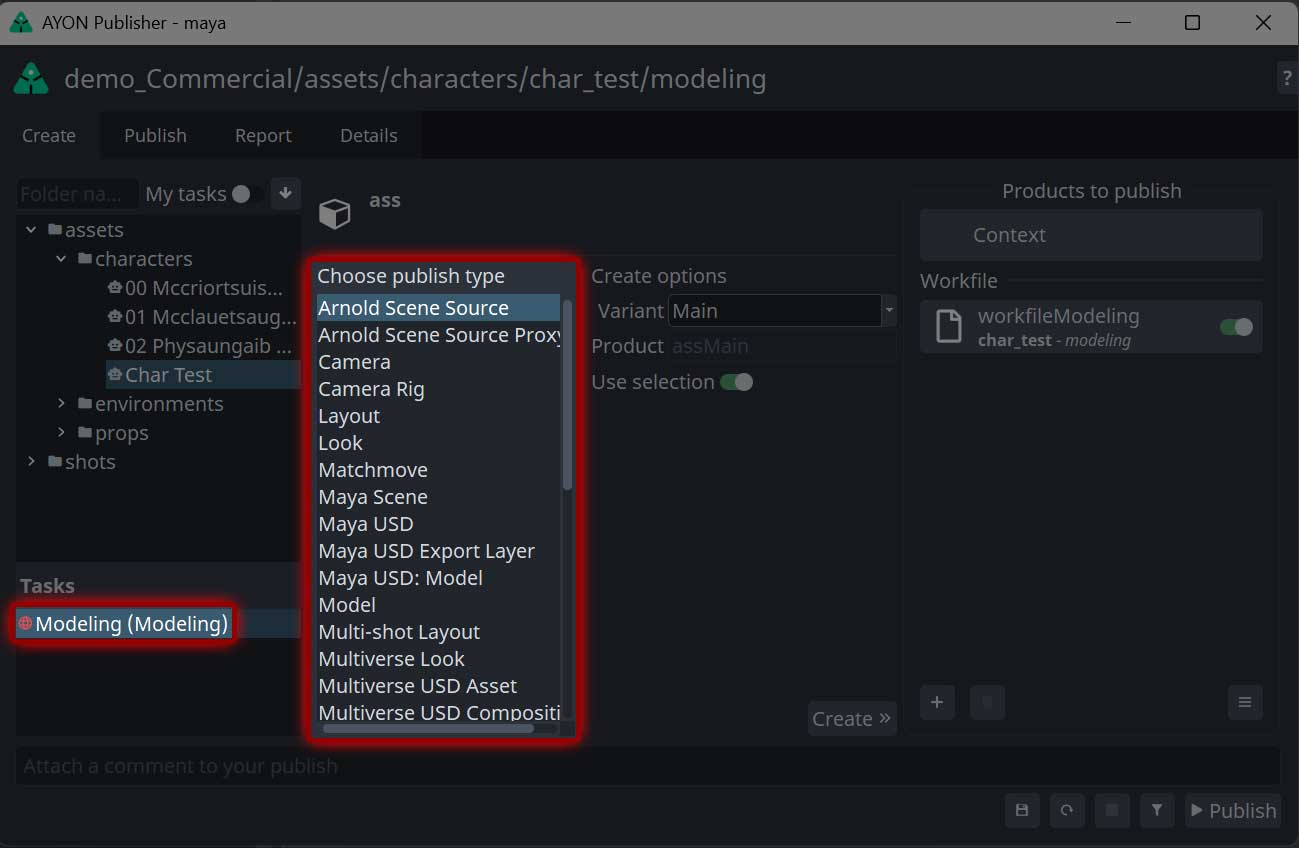
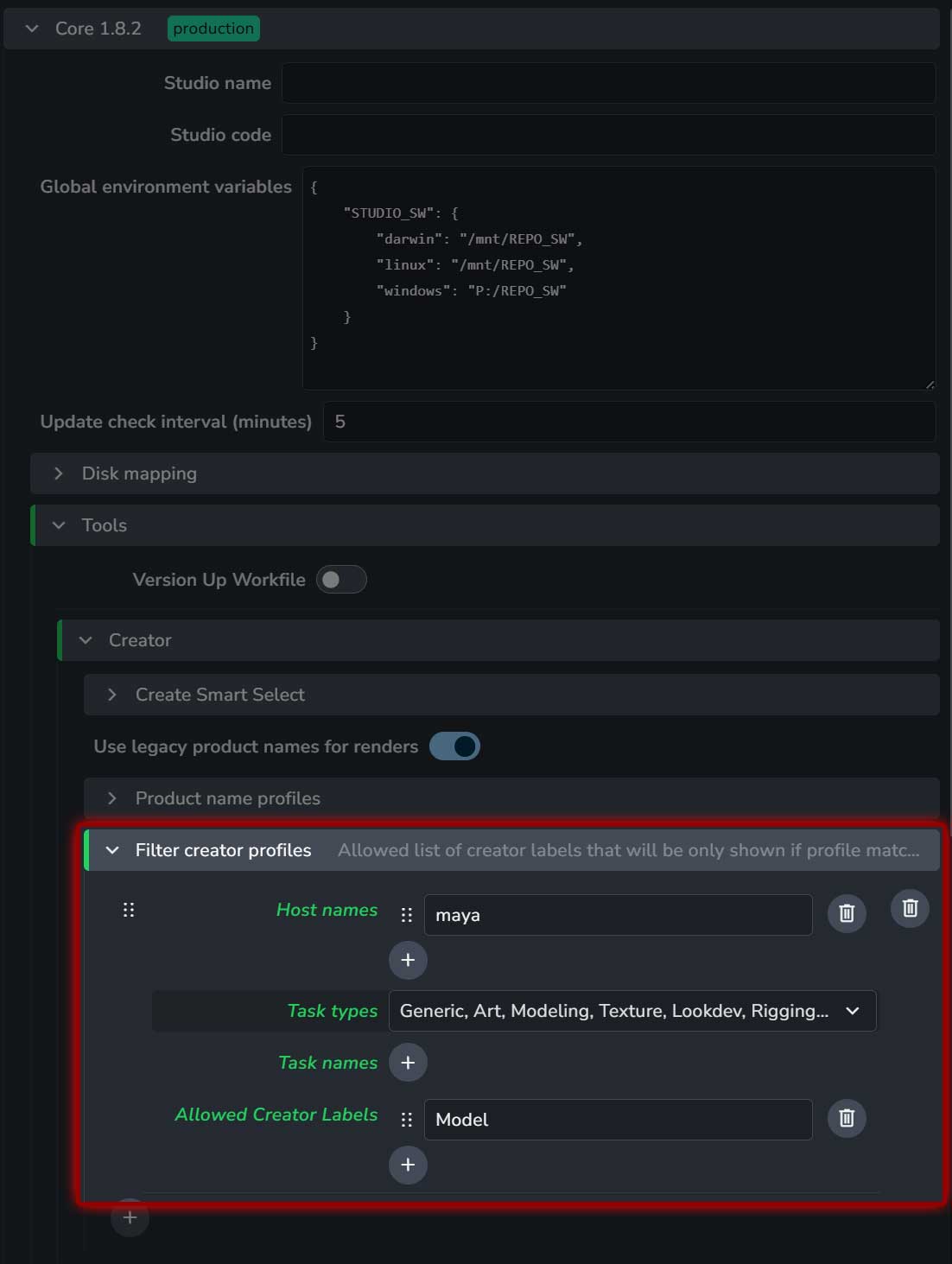
Based on this test, all tasks should be showing only the Model publish type.
I checked the Project Settings and there’re no overrides.
What am I missing ( or doing wrong )?
Thank you