Hi Team
For Houdini I have a created a custom creator with product type “mutligroom” I have custom extractor for the same I’m able to publish how I want, but when I add a “usd” as a product type to add it in usdlayer at Asset level I’m getting error, I have attached image of error log
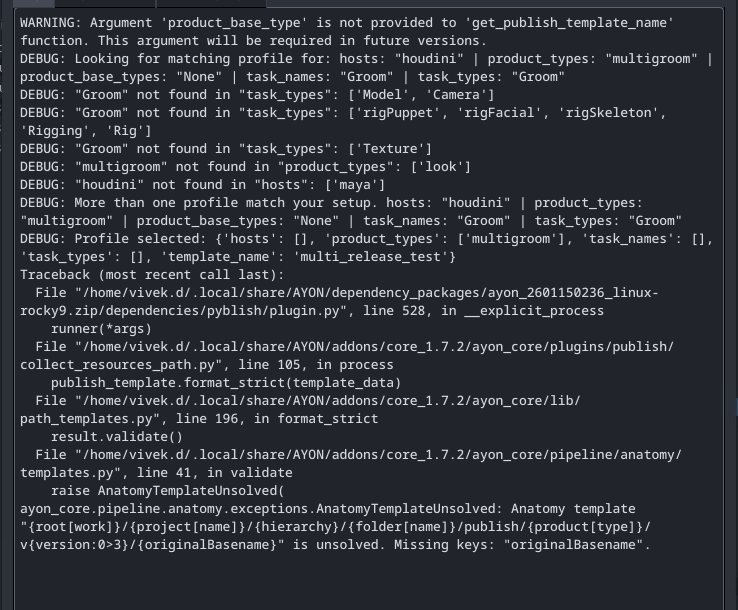
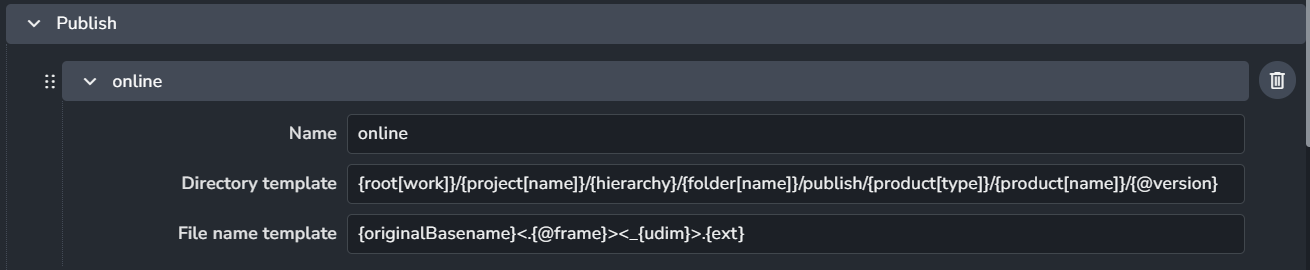
Actually I vaguely recall the formatter validating all publish templates. Do you remember @iLLiCiT ?
However, why originalBasename may be unavailable, I’m not sure.
I wonder if we collect this value
orignalBasename is meant for filename template, not for directory template.
I added originalbasename in directory template to put files inside a folder and it is working for my custom extractor. I’ll give a try without originalbasenamein a directory template
Hi @iLLiCiT
Thanks for your suggestion, as you suggested I remove the orignalBasename from the directory template it procced from the collector but it fails further for the orignalBasename key missing even for filename attaching a error screenshot
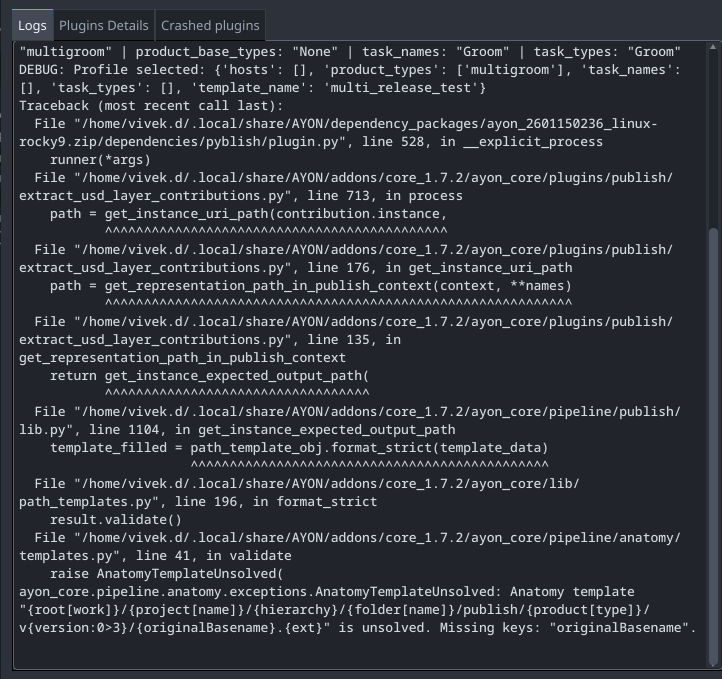
Ah yes, this error is different and would be a bug in get_instance_expected_output_path apparently not handling originalBasename because that logic currently lives in the integrator and requires an input filename.
It should perhaps do:
if representation_name:
    repre = next(
        repre for repre in instance.data.get("representations", [])
        if repre["name"] == representation_name
    )
    files = repre["files"]
    first_file = files  # files may be `str` if single file
    if isinstance(files, list):
        first_file = files[0]

    basename = os.path.splitext(os.path.basename(first_file))[0]
    template_data["originalBasename"] = basename
Can you make an issue on AYON core repository please?
Here’s a potential fix PR: Support `{originalBasename}` in `get_instance_expected_output_path` by BigRoy · Pull Request #1755 · ynput/ayon-core · GitHub