To piggyback on this thread – could someone clarify if product_type is the same thing as an alias?
My understanding up until now was that product_base_type represented the “family” of a product, and product_type was like an alias or label so that you can call the same product by different names.
However, we ran a test this week where we had product_base_type set to “rig”, and product_type set to “test”. In the publisher window, the product was listed as “test”, but after publishing, the product which was created was still called rig (instead of test, which is what we expected). Similarly, only a rig product was available to load with the loader.
If this is the intended behavior, then I’m not sure I understand the use case of product_type, because it seems like it’s not really changing anything in the behavior of the publisher or loader, but maybe I’m missing something.
How did you set your product_type to “test” ?
Mustafa said this feature was in the process of being created.
So he was talking about the gui part, and you found a way to set it using the SDK ?
With latest server, launcher, ayon-core and ayon-maya you should be able to specifiy Product Type aliases in the settings for AYON-Maya which will make the Creator get listed in the publisher UI per product type you’ve added. Allowing this to be completely doable in settings + guis.
The settings are on the Creators, e.g. ayon+settings://maya/create/CreateCamera/product_type_items
Not yet unfortunately. the thing is previously, we where merging PRs that adds support for the underlying functionality. It’s just recently where we brought settings for admins and artists. so Hopefully, docs should be available soon.
Thanks for the info, Mustafa and Roy. Following Roy’s example above, we were able to successfully test out the product type aliases and it aligns quite closely with expectations. There were just a couple of observations we were unsure about:
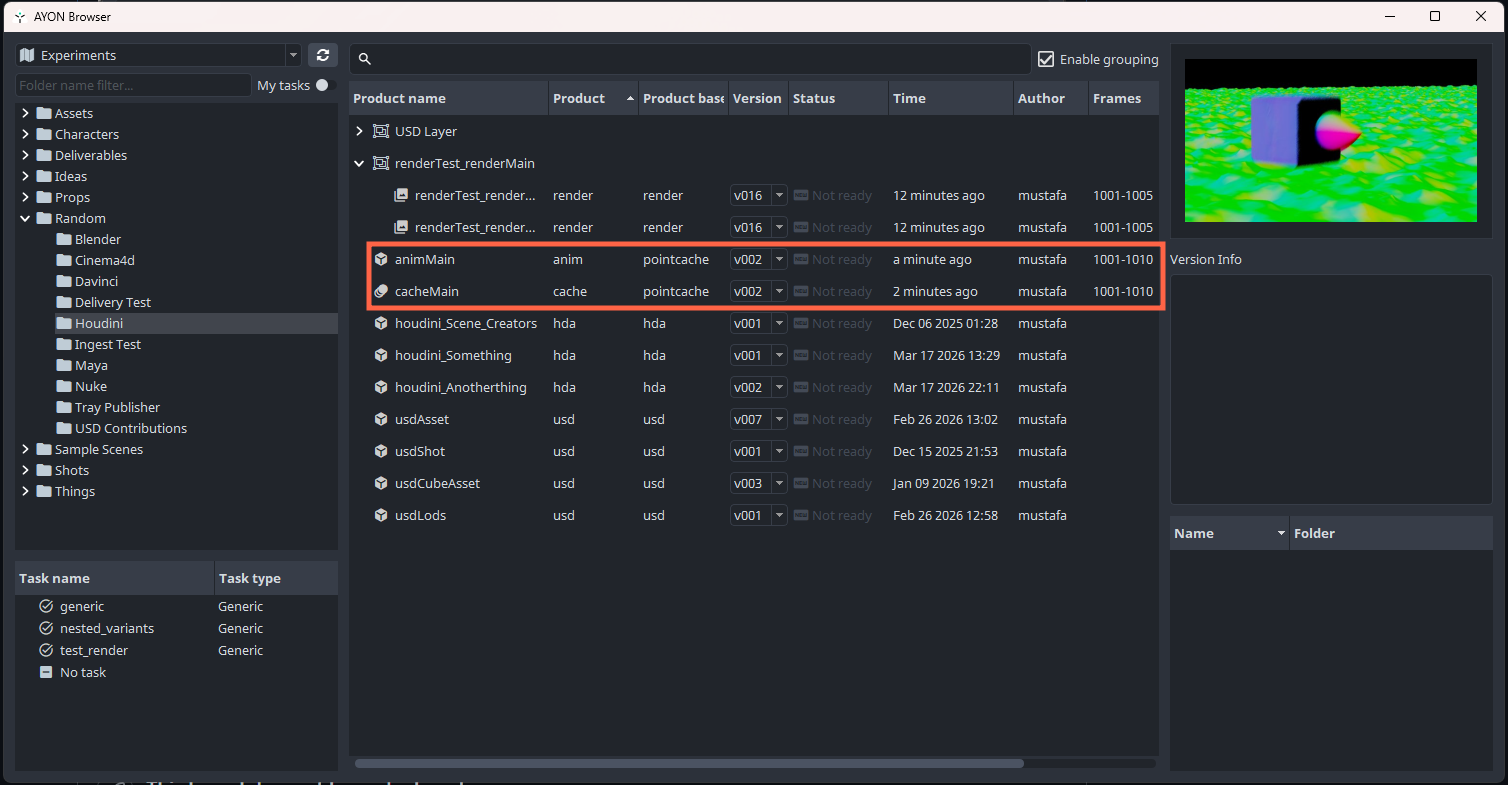
With newer versions of the ayon launcher, the loader has the columns Product Type and Product Base Type:
However, for the new product that we aliased, we noticed that both of these columns just showed the product base type. Maybe this is a bug?
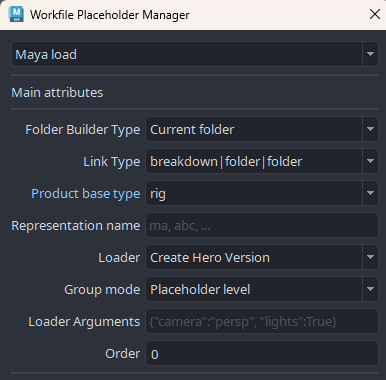
The Load Placeholder in maya (and presumably other DCCs) has a field to specify Product Base Type, but not Product Type:
I would have thought that in the context of a placeholder it’s more natural to select the Product Type, since that’s the user-facing name rather than the underlying type.
Other than those points/questions, it seems like the alias works great!
From which DCC did you publish and what addon version are you using? This may be a bug in the actual publish? Also, what core version and server version are you at?
I tested this again on Friday after updating to the latest launcher version, and now indeed I no longer hit the bug! A new publish produces the correct product type and product base type in their respective columns.
That being said, I was quite suprised that changing the launcher version fixed this for me. My impression was that the launcher was mainly responsible for bootstrapping and pulling updates; I would not have expected updating it to affect publishing or the columns display in the loader as long as I kept the versions of ayon-core/maya the same. So that remains as a doubt in my mind although this now seems to be working.
The launcher includes the AYON Python API dependency, which may affect things. However, I’d have expected core or the AYON server version to be more likely the cause here.